What Is MCP? Model Context Protocol Architecture, Open-Source Servers, and Developer Guide
MCP, or Model Context Protocol, is an open standard for connecting AI applications and agents to external systems such as files, databases, APIs, developer tools, calendars, search engines, and enterprise workflows. Instead of every AI app building a custom integration for every tool, MCP gives developers a shared protocol for exposing tools, resources, and prompts to large language models.
MCP in one sentence
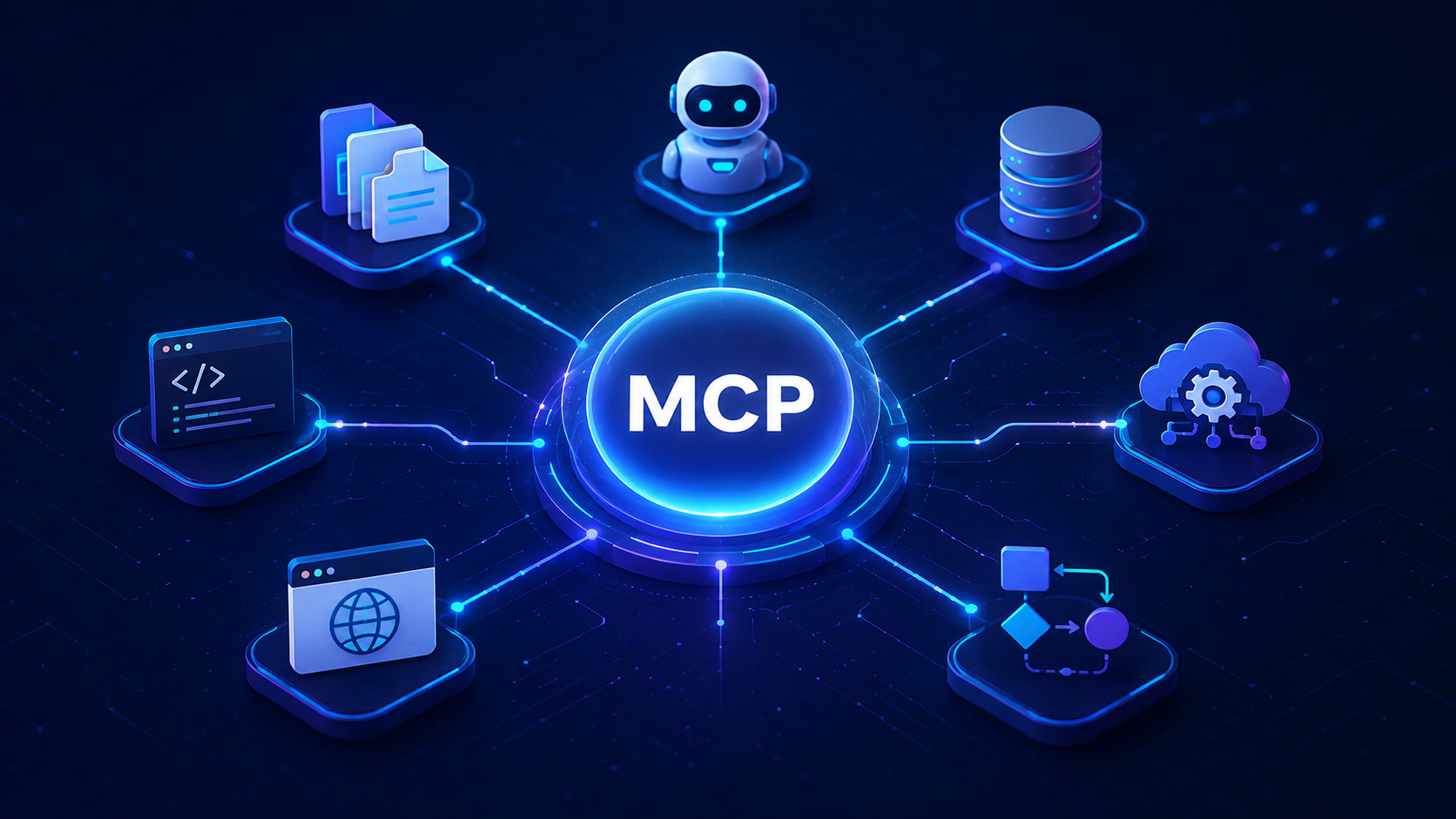
Figure 1: MCP is often explained as a “USB-C style” connector for AI applications: one standard interface for many external systems.
1. What Is MCP?
Model Context Protocol (MCP) is a protocol that lets AI applications connect to external systems in a structured and reusable way. An AI assistant can use MCP to discover available tools, read context, call functions, access resources, and return useful results to the user.
A simple way to understand MCP is this: APIs were built mainly for software-to-software communication; MCP is designed for AI-to-tool communication. It helps an LLM understand what tools exist, what inputs they accept, what they do, and how to call them safely.
| Question | Simple Answer | Developer Meaning |
|---|---|---|
| What is MCP? | A standard connector between AI apps and external systems. | A JSON-RPC based protocol for exposing tools, resources, and prompts to LLM applications. |
| Is MCP an AI model? | No. | It is infrastructure around an AI model, not the model itself. |
| What does MCP connect? | AI apps to files, databases, APIs, tools, and workflows. | It standardizes tool discovery, tool execution, resource access, prompts, notifications, and lifecycle management. |
| Who uses MCP? | AI assistants, coding tools, agent platforms, enterprise AI apps. | Examples include Claude, ChatGPT-compatible developer platforms, IDE agents, automation systems, and custom internal AI tools. |
2. When Was MCP Invented, and By Who?
MCP was introduced by Anthropic in November 2024 as an open-source standard for connecting AI assistants to the systems where useful data lives: content repositories, business tools, developer environments, databases, and local files.
Public reporting credits the early creation of MCP to Anthropic engineers David Soria Parra and Justin Spahr-Summers. The idea began as a practical internal need: make AI assistants more useful by letting them interact with the real tools and data people already use.
Figure 2: MCP timeline
MCP moved quickly from a developer protocol to a major AI-agent integration standard.
| Period | What Happened | Why It Matters |
|---|---|---|
| Before MCP | Developers built custom connectors for each model and each external tool. | This created repeated integration work and fragmented agent development. |
| November 2024 | Anthropic introduced MCP as an open-source standard. | Developers gained a reusable way to connect AI apps to tools and data. |
| 2025 | Developer tools, coding agents, and enterprise AI platforms started supporting MCP. | MCP became a practical standard for AI-agent tool access. |
| 2026 | Security, registries, production patterns, and enterprise governance became more important. | MCP moved from demos into real infrastructure decisions. |
3. What Is MCP Made Of?
MCP is made of several core pieces. The most important are hosts, clients, servers, tools, resources, prompts, transports, and JSON-RPC messages.
Host
The AI application that the user interacts with. Example: an AI coding assistant, chat app, or enterprise agent platform.
Client
The connection manager inside the host. A host usually creates one MCP client for each MCP server.
Server
A program that exposes useful capabilities to the AI app, such as file access, database queries, calendar actions, or API calls.
Tools
Executable functions the AI can call, such as search_files, send_email, or query_database.
Resources
Context data the AI can read, such as documents, file contents, database schemas, logs, or structured records.
Prompts
Reusable prompt templates that help standardize how the AI should interact with a tool or workflow.
| MCP Component | Role | Example | Developer Responsibility |
|---|---|---|---|
| Host | Runs the AI experience. | Claude Desktop, IDE agent, custom AI app. | Manage user interaction, model calls, permission UX, and server connections. |
| Client | Maintains a connection to one server. | A client connection to a Git MCP server. | Initialize, discover capabilities, call tools, read resources. |
| Server | Exposes external capabilities. | Filesystem server, database server, Slack server. | Define tools/resources, enforce auth, validate input, return safe results. |
| Tool | Action the AI can execute. | create_ticket, search_papers. |
Use clear names, schemas, descriptions, and security boundaries. |
| Resource | Data the AI can read. | file://notes.md, database schema. |
Return only authorized context; avoid leaking sensitive data. |
| Prompt | Reusable instruction template. | “Summarize this pull request using team style.” | Make workflows repeatable and model-independent. |
| Transport | How messages move. | stdio or Streamable HTTP. | Choose local process communication or remote server communication. |
| JSON-RPC | Message format. | tools/list, tools/call. |
Usually handled by SDKs, but important for debugging. |
4. MCP Architecture: Host → Client → Server → Tool
MCP follows a client-server architecture. The AI application is the host. The host creates an MCP client for each server. Each server exposes context and actions. The LLM does not directly control your database or file system; it requests actions through the host and MCP client, and the server executes only what it is allowed to execute.
Figure 3: MCP architecture
A host can connect to multiple MCP servers. Each server can expose different tools and resources.
Data Layer vs Transport Layer
| Layer | What It Does | Examples | Developer Notes |
|---|---|---|---|
| Data Layer | Defines the protocol messages and semantics. | Initialize, capabilities, tools/list, tools/call, resources, prompts, notifications. |
This is the most important layer for developers to understand. |
| Transport Layer | Defines how messages move between client and server. | stdio for local servers, Streamable HTTP for remote servers. | Choose stdio for local tools and HTTP for remote/multi-user services. |
Typical MCP Request Flow
Figure 4: MCP tool discovery and execution flow
The LLM does not magically access systems. The host discovers tools, the model selects a tool, the client calls the server, and the server returns a result.
5. MCP and AI Agents: Why They Are Connected
AI agents need three things: reasoning, context, and actions. The LLM provides reasoning. External data provides context. Tools provide actions. MCP is important because it standardizes the context-and-action layer.
LLM
Understands the user request, plans steps, and decides which tool may be useful.
MCP
Provides a standardized way to expose tools, resources, and prompts to the agent.
External Systems
Databases, files, SaaS apps, APIs, browsers, calendars, repositories, and internal tools.
| Without MCP | With MCP |
|---|---|
| Every AI app needs custom integrations. | One MCP server can be reused by many MCP-compatible clients. |
| Tool descriptions may be inconsistent. | Tools have structured names, descriptions, and input schemas. |
| Harder to audit tool access. | Tool calls can be logged, validated, permissioned, and monitored. |
| Agents remain mostly chatbots. | Agents can read context and perform useful actions. |
6. What Type of Computer Uses MCP? CPU, RAM, GPU, or Memory?
MCP itself is usually lightweight. It is a protocol and server layer, not a deep-learning training workload. Most MCP servers need CPU, RAM, network access, and secure credentials. They usually do not need a GPU unless the server itself runs machine-learning tasks such as embeddings, image generation, video processing, or local LLM inference.
Figure 5: MCP hardware importance
*GPU is usually not required for MCP itself. It becomes relevant only if your MCP server runs ML workloads locally.
| Computer Type | Can Run MCP? | Best For | GPU Needed? |
|---|---|---|---|
| MacBook / Windows laptop | Yes | Local development, testing, Claude Desktop, coding agents. | No, unless running local AI models. |
| Small cloud VM | Yes | Remote MCP servers, small APIs, team tools. | No. |
| Docker container | Yes | Production deployment and repeatable environments. | No. |
| Serverless function | Sometimes | Simple stateless tools, API wrappers. | No, but watch cold starts and streaming support. |
| GPU server | Yes | MCP server that also runs embeddings, local LLMs, vision, audio, or ML pipelines. | Only for ML tasks, not for MCP protocol. |
7. Open-Source MCP Ecosystem
MCP is important because it is open and developer-friendly. The ecosystem includes official SDKs, reference servers, community servers, registries, debugging tools, and production frameworks.
| Project / Category | What It Is | Language / Stack | Best Use | Link |
|---|---|---|---|---|
| Official MCP Docs | Specification, architecture, server/client concepts, security, examples. | Documentation | Learning the protocol correctly. | Docs |
| Official Reference Servers | Reference implementations demonstrating MCP features and SDK usage. | Mostly TypeScript and Python | Learning how to build servers. | GitHub |
| MCP Registry | Registry for published MCP servers. | Registry / ecosystem | Finding servers beyond the small official reference set. | Registry |
| Python SDK | SDK for building MCP servers and clients in Python. | Python | Data tools, automation, ML/RAG workflows. | Python SDK |
| TypeScript SDK | SDK for Node.js, Bun, and Deno environments. | TypeScript / JavaScript | Web services, developer tools, SaaS integrations. | TypeScript SDK |
| MCP Inspector | Developer tool for testing and debugging MCP servers. | Node / web tooling | Inspecting tools, testing calls, debugging protocol messages. | Inspector |
| Community Servers | Open-source servers for databases, SaaS apps, dev tools, search, memory, and automation. | Many languages | Fast integration without building everything from zero. | Server resources |
Open Source vs Proprietary MCP
| Option | Advantages | Risks | Best For |
|---|---|---|---|
| Open-source MCP server | Transparent code, community review, fast learning, cheaper start. | May not be production-ready; needs security review. | Developers, prototypes, internal tools, learning. |
| Proprietary MCP server | Vendor support, enterprise features, managed hosting. | Cost, lock-in, less control. | Enterprises needing compliance, support, SLAs. |
| Custom MCP server | Built exactly for your product or company data. | You must handle auth, logs, validation, versioning, and maintenance. | Startups, SaaS products, internal AI agents, specialized workflows. |
8. Most Famous MCP Servers and Common Uses
The most useful MCP servers are usually the ones that connect an AI agent to real work: files, Git repositories, databases, web search, memory, calendars, Slack-like chat systems, ticketing systems, and browser automation.
Figure 6: Most common MCP use areas
MCP is most useful where an AI agent needs live context or permissioned actions.
| MCP Use Case | Example Tool | Why It Matters | Risk to Control |
|---|---|---|---|
| Filesystem access | Read, write, search, summarize local files. | Turns an AI assistant into a document-aware assistant. | Restrict allowed folders; avoid exposing private files. |
| Git and coding | Read repositories, inspect commits, create patches. | Very useful for coding agents and developer workflows. | Limit write access and require review before destructive actions. |
| Database access | Query PostgreSQL, SQLite, analytics data. | Lets business users ask natural-language questions about data. | Use read-only mode, SQL guards, and row-level permissions. |
| Browser automation | Navigate pages, extract content, test web apps. | Useful for QA, scraping, automation, and workflow agents. | Prevent credential leakage and unsafe automated actions. |
| Search and research | Search web, academic papers, internal knowledge bases. | Improves freshness and citation grounding. | Validate source quality; avoid prompt injection from retrieved content. |
| Memory | Store structured facts or knowledge graph memory. | Helps agents continue work across sessions. | Allow users to inspect, edit, and delete memory. |
9. How Can a Developer Create an MCP Server?
A developer can create an MCP server by choosing an SDK, defining tools/resources/prompts, choosing a transport, testing with an MCP client, and deploying it with security controls.
Developer Roadmap
| Step | What You Do | Developer Output |
|---|---|---|
| 1. Choose a use case | Decide what external system the AI needs. | Example: “AI can search my product database.” |
| 2. Choose SDK | Python for data/automation, TypeScript for web/SaaS, C# or Java for enterprise. | Project setup with MCP SDK installed. |
| 3. Define tools | Create callable functions with clear names, descriptions, and input schemas. | search_products(query, max_results) |
| 4. Define resources | Expose read-only context like files, schemas, docs, or records. | products://schema |
| 5. Add security | Validate inputs, limit access, add auth, log calls. | Safe server boundaries. |
| 6. Test | Use MCP Inspector or a compatible AI client. | Confirmed tool discovery and execution. |
| 7. Deploy | Run locally with stdio or remotely with HTTP. | Production MCP server. |
Minimal Python MCP Server Example
This example shows the idea. The exact SDK API can change, so always check the current official SDK documentation before production use.
from mcp.server.fastmcp import FastMCP

# Create an MCP server
mcp = FastMCP("ProductSearchServer")

@mcp.tool()
def search_products(query: str, max_results: int = 5) -> list[dict]:
    """
    Search products by keyword.
    Use this when the user asks about available products.
    """
    # In production, replace this with a real database query.
    products = [
        {"name": "German Flashcard App", "category": "Education"},
        {"name": "Video Voice Edit App", "category": "Media"},
        {"name": "AI Counter Planner", "category": "Productivity"}
    ]

    return [
        item for item in products
        if query.lower() in item["name"].lower()
    ][:max_results]

@mcp.resource("products://schema")
def product_schema() -> str:
    """
    Explain the product database schema.
    """
    return "Product fields: name, category, price, platform, app_store_url"

if __name__ == "__main__":
    mcp.run()
Example Claude Desktop / Local Client Configuration
{
  "mcpServers": {
    "product-search": {
      "command": "python",
      "args": ["/absolute/path/to/server.py"]
    }
  }
}
Good Tool Design
| Bad Tool Design | Better Tool Design | Why |
|---|---|---|
do_thing() |
search_customer_orders(customer_email, date_range) |
Specific names help the model choose correctly. |
| No description | “Use this only to find paid orders by email.” | Descriptions guide tool selection. |
| Accepts raw SQL from model | Accepts safe filters and uses prepared queries. | Prevents dangerous or hallucinated database actions. |
| Unlimited file access | Allowed folder list and read-only mode by default. | Reduces privacy and security risk. |
10. Can We Fine-Tune MCP?
No, not directly. MCP is a protocol, not a neural network. You do not fine-tune MCP the way you fine-tune an LLM. But you can improve an MCP-based system in several ways.
| Question | Answer | What Developers Can Do Instead |
|---|---|---|
| Can MCP be fine-tuned? | No. MCP is not a model. | Fine-tune the LLM, not MCP. |
| Can MCP behavior be improved? | Yes. | Improve tool descriptions, schemas, prompts, validation, and examples. |
| Can MCP help a fine-tuned model? | Yes. | A fine-tuned model can use MCP tools for live data and actions. |
| Can MCP be used with RAG? | Yes. | An MCP server can expose vector search or document retrieval as tools/resources. |
11. Security and Production Checklist
MCP is powerful because it allows AI systems to take actions. That also makes security very important. A production MCP server should be treated like a sensitive API surface.
| Risk | Example | Control |
|---|---|---|
| Prompt injection | A document tells the AI to ignore rules and leak data. | Treat retrieved content as untrusted; separate instructions from data. |
| Over-permissioned tools | AI can delete files or send emails without review. | Use least privilege, confirmations, and read-only defaults. |
| Credential leakage | API token appears in tool output. | Use secret managers and output filtering. |
| Unsafe database access | Model generates destructive SQL. | Use prepared queries, allowlists, read-only users, and query limits. |
| Supply-chain risk | Unknown open-source MCP server gets installed locally. | Audit code, pin versions, sandbox containers, use trusted registries. |
| No observability | You cannot see what the agent called. | Log tool calls, arguments, user approvals, results, and errors. |
Production Checklist
Before Launch
AuthInput validationRate limitsRead-only defaults
Make sure every tool has clear permission boundaries and safe error handling.
After Launch
LogsMonitoringVersion pinningSecurity review
Monitor real tool calls and update schemas when the model chooses tools incorrectly.
12. FAQ: Model Context Protocol
What is MCP in AI?
MCP means Model Context Protocol. It is an open protocol for connecting AI applications to external systems such as files, databases, APIs, tools, and workflows.
Is MCP the same as an API?
No. MCP can wrap APIs, but it is designed specifically for AI applications. It gives the model structured tool descriptions, input schemas, resources, prompts, and a standard call flow.
Is MCP open source?
Yes. MCP has open documentation, SDKs, reference servers, and community projects. Developers can build their own MCP servers and clients.
Does MCP need a GPU?
No. MCP itself does not need a GPU. A GPU is only needed if your MCP server also runs local machine-learning workloads such as embeddings, speech, vision, or local LLM inference.
Can developers create their own MCP?
Yes. Developers can create custom MCP servers using SDKs such as Python or TypeScript. A server defines tools, resources, prompts, validation, and a transport.
Can MCP be fine-tuned?
No. MCP is a protocol, not a model. You can fine-tune the LLM that uses MCP, and you can optimize your MCP server design, tool schemas, and prompts.
What are the most common MCP use cases?
Common MCP use cases include coding agents, file search, database querying, browser automation, enterprise data access, memory systems, research tools, and workflow automation.
Why is MCP important for AI agents?
AI agents need to access context and take actions. MCP standardizes how agents discover and use external tools, which makes agents more useful and easier to develop.
Conclusion
MCP is one of the most important developer concepts in modern AI-agent architecture. It is not an AI model and it is not something you fine-tune. It is a standard way to connect AI applications to the real systems people use every day.
For developers, the opportunity is clear: build MCP servers for useful workflows. A good MCP server can turn a normal AI assistant into a practical agent that can search, read, analyze, automate, and act safely. The best MCP projects will not be the ones with the most tools, but the ones with the clearest schemas, safest permissions, best user experience, and most useful real-world actions.