By INGOAMPT AI News · November 19, 2026 Vienna edition
llama.cpp added support for VoxCPM2 speech generation in prerelease b12531 on November 19, 2026. Developers can now follow a documented local GGUF path for text-to-speech and reference-voice generation rather than depending exclusively on a remote speech service. But the implementation is not yet a complete replacement for the original model: several important modes are missing.
The maintainers published b12531 at 02:20 UTC on November 19 (03:20 in Vienna), linking the change to pull request #32443. VoxCPM2 itself predates this release. The new development is its integration into llama.cpp’s speech runtime, not the debut of the speech model.
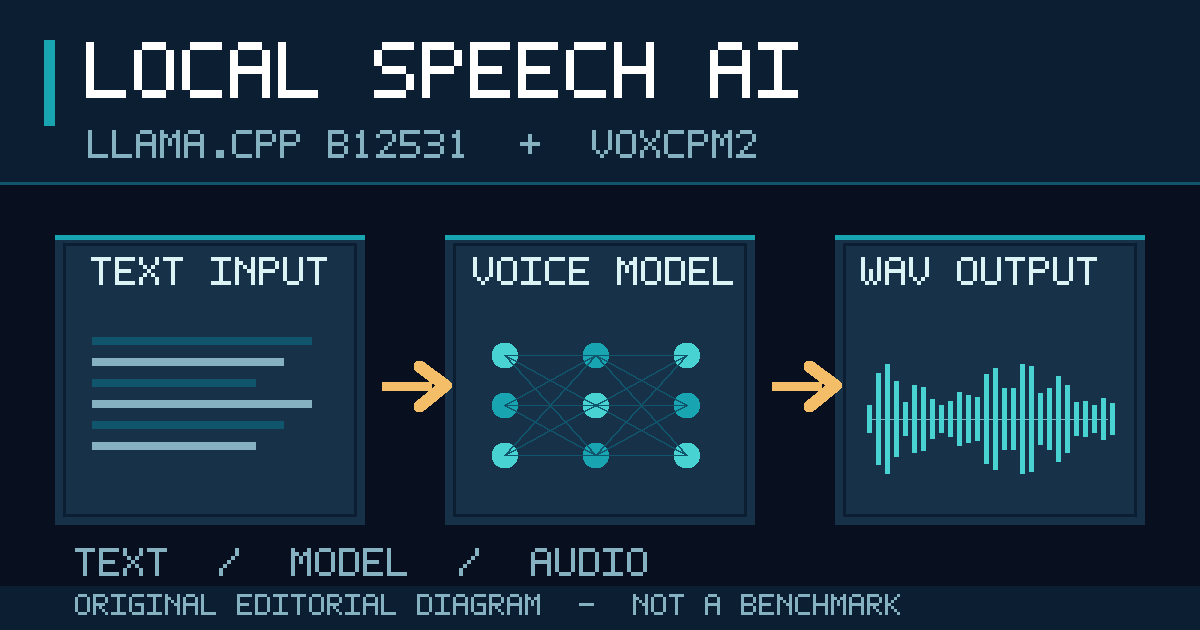
Featured editorial illustration: text passes through a local speech model and emerges as WAV audio. This is a conceptual graphic, not a product screenshot or measured benchmark.
What changes when a voice model runs through llama.cpp?
VoxCPM2 uses a roughly two-billion-parameter language backbone to help generate speech. The original model card describes multilingual synthesis, voice design from a written description, and cloning from a short sample. The new llama.cpp implementation uses its multimodal components and llama-tts to turn locally converted GGUF files into audio. The version-specific integration guide explains those pieces and which controls actually work.
That distinction matters because open model weights do not automatically provide a deployment-ready interface. An app developer must also know which parts require a separate projector, whether a speaker sample can be supplied, how audio is written to disk, and what failure modes still need application-level handling.
Five capabilities worth checking before adopting this release
- Speech from text: Supported through
llama-tts, using a converted main GGUF file and a separate multimodal projector. The example writes a WAV file. - Voice design: Supported through a parenthesized natural-language voice description at the start of the text. The voice is model-generated, not a guaranteed consistent preset.
- Reference-voice cloning: Supported through
--tts-speaker-file. The sample is resampled to 16 kHz and limited to the first 30 seconds. A speaker’s permission remains essential. - Reference-audio continuation with a transcript: Not implemented here. The guide says that the original model’s continuation mode is unavailable, and
--tts-speaker-textis not used. - Automatic retry for troublesome audio: Not yet implemented. The guide warns that some short prompts can produce speech that runs on or repeats words; users may need to regenerate with a different seed.
This comparison is INGOAMPT’s own review of the b12531 documentation, not an audio-quality or performance benchmark. The tradeoff is practical: a creator making short, manually reviewed narration may tolerate retries, while an unattended customer-support system needs predictable speech duration and recovery.
The actual setup is more than installing a binary
The documented workflow downloads the VoxCPM2 model files, then uses llama.cpp’s conversion script to produce a backbone named VoxCPM2.gguf and a projector named mmproj-VoxCPM2.gguf. Once both exist locally, the maintainers show a command of this shape:
llama-tts -m VoxCPM2.gguf -mm mmproj-VoxCPM2.gguf -p "(A calm male narrator)Hello from a local voice model." --output out.wavThis is a shortened adaptation of the documented example, not a command executed by INGOAMPT. It is provided to show the separate files and text prompt clearly; readers should follow the original full conversion instructions for dependencies and exact options. The model determines the language from the text instead of using --tts-lang. The model publisher claims 30 supported languages and 48 kHz output, but that claim does not guarantee equal quality for all accents, languages, or hardware.
Free model access does not mean zero deployment cost
The release is explicitly labeled a prerelease. The accompanying downloads include builds for Apple Silicon macOS, Linux, Windows, Android and an iOS XCFramework. Those download options do not establish that the complete speech model can run well on every device. Verify model size, memory requirements, runtime speed and power draw on your intended hardware.
The original model card lists an Apache-2.0 license. A local setup can avoid per-call billing from a hosted speech service, but developers still pay for the hardware, storage, electricity and integration work. Project speed figures from a reference GPU setup cannot be attributed to this llama.cpp integration without a controlled comparison.
For a solo developer, the decision is specific: use this release to evaluate locally generated narration and reference-voice output, but do not promise seamless voice continuation or automatic bad-generation recovery. For broader hardware planning, see our MLX, CUDA and ROCm guide. Review all voice permissions and label synthetic audio where appropriate.
Original release: November 19, 2026 · llama.cpp b12531. Technical sources: release, TTS documentation, implementation, and model card. No local performance testing was performed for this article.