INGOAMPT · Learn
SQLite, Transactions & Record Matching: A Developer’s Vocabulary Guide
Two questions sit underneath almost every serious data application: “how do I store millions of records without ever losing or corrupting one, even if the power cuts out?” and “how do I match a messy, typo-filled record against the right one out of millions?” This guide answers both, term by term, with figures, tables and real code — for complete beginners.
- Part 1 — Storing data so it survives anything: SQLite · Schema, table, row, column · Primary & foreign keys · Transactions, commit, rollback · Atomicity · PRAGMA · Journal & journal modes · WAL mode · Synchronous & durability · Busy timeout · Checkpoints · Benchmark & median
- Part 2 — Matching messy records to the truth: Canonical record · Exact identifier matching · Candidate retrieval & recall · Field-level evidence · Reranking · Calibration · Abstention · Batch pipeline
- Part 3 — The engineering discipline around the code: Record · Streaming parser · Reconciliation · Provenance · BM25 & embeddings · The two meanings of “commit” · Git, GitHub & push · pytest, Ruff & mypy
- Real-world numbers: how big are these bibliography databases?
The running example. Picture a service where someone uploads a messy, typo-filled list of book and article references — like a student’s badly-formatted bibliography — and the system must find the correct, verified record for each one from a library of millions, flag anything it isn’t sure about, and never simply invent an answer. That’s the example we’ll use throughout.
Part 1 · Storing Data So It Survives Anything
Before you can match anything, you need a database that never quietly loses or corrupts a record — not even if someone trips over the power cable mid-write. These twelve terms are how that promise is kept.
1. SQLite
The database in one fileBig databases like PostgreSQL or MySQL run as a separate background program that your app talks to over a network connection, even if that network is just localhost. SQLite skips all of that: the database is the file.
| PostgreSQL / MySQL | SQLite | |
|---|---|---|
| Where it runs | a separate server process | inside your own program |
| Setup | install, configure, start a service | none — it’s just a file |
| Storage | managed data directory | one file, e.g. catalog.sqlite3 |
| Best for | many simultaneous app servers | one machine, local-first apps, research pipelines |
<span class="c"># That's really it — no server to start</span>
<span class="k">import</span> sqlite3
conn = sqlite3.connect(<span class="k">"catalog.sqlite3"</span>)
conn.execute(<span class="k">"SELECT COUNT(*) FROM records"</span>)2. Schema, Table, Row & Column
The vocabulary of structurePicture our reference-matching database. One table, records, might look like this once populated:
| record_id ↓ (column) | title (column) | year (column) | doi (column) |
|---|---|---|---|
| 1 | Attention Is All You Need | 2017 | 10.5555/… |
| 2 | Deep Learning | 2015 | 10.1038/… |
↑ Each horizontal line is a row. Each vertical field is a column. The whole table’s shape (which columns exist, what type each holds) is defined by the schema.
<span class="c">-- The schema: the rules for this one table</span>
<span class="k">CREATE TABLE</span> records (
    record_id INTEGER <span class="k">PRIMARY KEY</span>,
    title     TEXT    <span class="k">NOT NULL</span>,
    year      INTEGER,
    doi       TEXT
);3. Primary Key & Foreign Key
Identity and connectionSay each reference can have several authors. You’d naturally split that into two tables — one row per reference, one row per author-of-a-reference:
<span class="k">CREATE TABLE</span> authors (
    author_id INTEGER <span class="k">PRIMARY KEY</span>,
    record_id INTEGER <span class="k">NOT NULL</span>,
    name      TEXT,
    <span class="k">FOREIGN KEY</span> (record_id) <span class="k">REFERENCES</span> records(record_id)
);4. Transactions, Commit & Rollback
Grouping writes safelyStoring one reference actually means writing to several tables — the record itself, its authors, its identifiers. If you save them one at a time and the program crashes halfway, you get a broken half-record. A transaction prevents that:
<span class="k">BEGIN</span>;                                   <span class="c">-- open the transaction</span>
  <span class="k">INSERT INTO</span> records VALUES (3, <span class="k">'BERT: Pre-training...'</span>, 2018, <span class="k">NULL</span>);
  <span class="k">INSERT INTO</span> authors VALUES (4, 3, <span class="k">'Devlin'</span>);
  <span class="k">INSERT INTO</span> authors VALUES (5, 3, <span class="k">'Chang'</span>);
<span class="k">COMMIT</span>;                                  <span class="c">-- ✅ all 3 writes saved together</span>

<span class="c">-- If something fails before COMMIT:</span>
<span class="k">ROLLBACK</span>; <span class="c">-- ❌ all 3 writes are undone, none remain</span>5. Atomicity
All or nothing, guaranteedIt’s the first letter of the classic ACID guarantees every serious database offers:
| Letter | Guarantee | In one sentence |
|---|---|---|
| Atomicity | all-or-nothing | A transaction never leaves a partial result. |
| Consistency | valid state → valid state | Rules (like foreign keys) are never violated. |
| Isolation | transactions don’t see each other’s mess | Two writers never step on each other mid-write. |
| Durability | once committed, it survives | A crash right after commit doesn’t undo it. |
Atomicity, Consistency, and Isolation hold true in SQLite under essentially every setting. As you’ll see in section 9, the Durability guarantee is the one knob you can deliberately loosen for speed.
6. PRAGMA
Talking to the database engine itselfNormal SQL (SELECT, INSERT) works with your rows. A PRAGMA works with the engine’s settings:
<span class="k">PRAGMA</span> foreign_keys = <span class="k">ON</span>;       <span class="c">-- turn on foreign-key enforcement</span>
<span class="k">PRAGMA</span> journal_mode;             <span class="c">-- ask: "what journal mode is actually active?"</span>
<span class="k">PRAGMA</span> integrity_check;          <span class="c">-- ask: "is this database file healthy?"</span>
<span class="k">PRAGMA</span> busy_timeout = 5000;      <span class="c">-- wait up to 5000ms if the database is locked</span>
Two of these — journal_mode and synchronous — control how safely and how fast your data survives a crash. They’re the subject of the next three sections.
7. Journal & Journal Modes
How SQLite survives a crash mid-writeThree common modes, each a different strategy for the same goal:
| Mode | Strategy | Recovery approach |
|---|---|---|
| DELETE (the default) | Before changing a page, copy the old version into a side file (-journal). Delete that file when the transaction commits. | Undo: on crash, replay the saved old pages to undo the incomplete write. |
| TRUNCATE | Same idea as DELETE, but instead of deleting the journal file, it’s shrunk to zero length — faster on some filesystems. | Same undo approach as DELETE. |
| WAL | Instead of saving old pages, new committed pages are appended to a separate -wal file. | Redo: on crash, replay committed WAL entries forward. |
<span class="k">PRAGMA</span> journal_mode = <span class="k">WAL</span>;
<span class="c">-- SQLite may not grant exactly what you asked — always check what it actually gave you:</span>
<span class="k">PRAGMA</span> journal_mode; <span class="c">-- → "wal" ✅ confirmed</span>8. WAL Mode (Write-Ahead Logging)
Why modern apps prefer itIn the default DELETE mode, a writer briefly locks out all readers. Under WAL, readers see a consistent snapshot built from the main file plus the WAL’s committed entries, while a writer keeps appending in the background:
| DELETE / TRUNCATE (default) | WAL | |
|---|---|---|
| Readers vs. writer | writer blocks readers | readers never block the writer, and vice versa |
| Concurrent writers | one at a time | still one at a time (WAL doesn’t change this) |
| Extra files | temporary -journal during writes | persistent -wal and -shm files |
| Network filesystems | works | ❌ not supported (needs shared memory on one host) |
| Typical use | simple scripts, single-writer batch jobs | web apps, concurrent readers, ingestion pipelines |
WAL entries eventually get folded back into the main file — a process called a checkpoint (covered in section 11). Unlike other modes, WAL is “sticky”: once set, it stays active even after you close and reopen the database.
9. Synchronous & the Durability Trade-off
Speed vs. surviving a power losssynchronous controls how often SQLite pauses to make absolutely sure your data has physically reached the disk (not just the operating system’s cache) before saying “done.” More pausing = safer but slower.Here’s the layered reality most beginners miss: a “saved” write can actually be sitting at three different depths.
| Level | Behavior | Survives app crash? | Survives power loss? |
|---|---|---|---|
| OFF | never forces disk sync | ✅ yes | ❌ no — can corrupt |
| NORMAL | syncs at key moments (default in WAL mode) | ✅ yes | ⚠️ last transaction(s) may roll back — but never corrupts |
| FULL | syncs on every commit | ✅ yes | ✅ yes |
| EXTRA | FULL, plus an extra sync in DELETE mode | ✅ yes | ✅ yes (strongest) |
WAL + synchronous=NORMAL — the combination most production apps use — killing your program, or even the whole operating system, is fine: no committed data is lost, and the file is never corrupted. Only an actual power failure at the exact wrong instant can roll back the very last committed transaction. For that reason, WAL + NORMAL is a widely recommended default (used by frameworks like Django’s SQLite backend), reserving FULL for cases where losing even the last transaction on power loss is unacceptable.10. Busy Timeout
What happens when the database is briefly locked<span class="k">PRAGMA</span> busy_timeout = 5000; <span class="c">-- wait up to 5 seconds for the lock to clear</span>
<span class="c">-- Without this, a second writer fails INSTANTLY with "database is locked"</span>Picture two parts of your program both wanting to write at nearly the same moment. Without a busy timeout, the second one crashes immediately. With a reasonable timeout, it simply waits — usually a fraction of a second — and then proceeds normally.
11. Checkpoints — Two Related Meanings
Marking safe progressa) WAL checkpoint (inside SQLite)
Remember that WAL appends new pages to a side file rather than writing the main file directly. A WAL checkpoint is the process of folding those appended pages back into the main database file, so the side file doesn’t grow forever.
b) Ingestion checkpoint (inside your own pipeline)
When importing millions of records, you don’t want a crash at record 8,000,000 to force you back to record 1. So your own code records, inside the same transaction as the data itself, exactly how far it got:
| Field | Example value |
|---|---|
| last committed record position | 4,527,000 |
| last committed record’s unique key | journals/ml/Vaswani17 |
| timestamp | 2026-07-17 14:02:11 |
| batch status | running / completed / failed |
The crucial rule: the data rows and the checkpoint marker must be saved in the very same transaction. Otherwise a crash could leave them disagreeing — for instance, rows committed through 3,000 but the checkpoint still saying 2,000, or worse, the reverse.
12. Benchmark & Median
Measuring instead of guessingSuppose you time importing 10,000 records under four different SQLite settings, three runs each, in rotated order (to cancel out disk-cache warm-up bias):
| Profile | Run 1 (s) | Run 2 (s) | Run 3 (s) | Median (s) |
|---|---|---|---|---|
delete + full | 18.2 | 17.9 | 31.4 (disk hiccup) | 18.2 |
truncate + full | 17.1 | 17.5 | 17.3 | 17.3 |
wal + full | 12.4 | 12.6 | 12.2 | 12.4 |
wal + normal | 6.8 | 6.5 | 6.9 | 6.8 |
Notice run 3 of delete+full: a one-off disk hiccup pushed it to 31.4s. The average of that row would be dragged up to ~22.5s, giving a misleading picture. The median (18.2s) ignores that outlier — which is exactly why engineers report medians for performance benchmarks.
Part 2 · Matching Messy Records to the Truth
The data is now safely stored. The next challenge is different: someone hands you a messy, incomplete, typo-ridden reference, and you must find — and trust — the correct record out of millions. These eight terms describe that matching pipeline end to end.
13. Canonical Record
One tidy, standard shape for searchSource data is often messy or inconsistent in ways that are fine for humans but painful for a matching algorithm: extra whitespace, mixed capitalization, markup left inside a title. The canonical layer smooths that out for searching, while the original stays untouched as the source of truth.
| Source record (untouched) | Canonical record (for search) | |
|---|---|---|
| Title | "An <i>Important</i> Result" | "an important result" |
| Author | "Müller, Jörg" | "muller jorg" |
| Year | "2017" (text) | 2017 (number) |
This follows the same rule as protecting source data anywhere in a pipeline: normalize a copy, never overwrite the original. The canonical fields exist purely to make comparison and search fast and consistent.
14. Exact Identifier Matching
The strongest kind of evidence<span class="c"># Pipeline order: cheapest, strongest evidence FIRST</span>
<span class="k">if</span> input_has_doi(reference):
<span class="k">return</span> exact_lookup_by_doi(reference.doi) <span class="c"># done — near-certain</span>
<span class="k">elif</span> input_has_isbn(reference):
<span class="k">return</span> exact_lookup_by_isbn(reference.isbn)
<span class="k">else</span>:
<span class="k">return</span> fuzzy_search_pipeline(reference) <span class="c"># fall back to sections 15-17</span>| Identifier | Example | Uniqueness |
|---|---|---|
| DOI | 10.5555/3295222.3295349 | globally unique, assigned once |
| ISBN | 978-0-13-468599-1 | unique per book edition |
| Database key | journals/ml/Vaswani17 | unique inside that one database |
15. Candidate Retrieval & Recall-First Thinking
Cast a wide net firstThis stage deliberately favors recall (don’t miss the answer) over precision (don’t worry yet about perfect ordering) — the same recall concept from classic search evaluation. Typical retrieval methods combined here: keyword search (BM25), normalized-title matching, prefix matching, trigram/fuzzy matching, and rough author+year filtering.
16. Field-Level Matching Evidence
Show your workFor each input-reference and candidate pair, compute separate signals:
| Field | Input said | Candidate has | Signal |
|---|---|---|---|
| Title | “Attention all need” | “Attention Is All You Need” | 0.94 similarity |
| First author | “Vaswani A” | “Ashish Vaswani” | ✅ match |
| Year | “2017” | 2017 | ✅ exact |
| Venue | “NIPS” | “NeurIPS” | 0.72 similarity (known alias) |
This turns “trust me, it’s 94% confident” into an inspectable, explainable decision — which matters enormously when the answer feeds into something a person will rely on, like a corrected bibliography.
17. Reranking
The expensive second lookcandidates = [<span class="k">"Attention Is All You Need"</span>, <span class="k">"Attention Networks for..."</span>, <span class="k">"..."</span>] <span class="c"># ~100 items</span>
<span class="c"># A cheap score got them this far. Now a stronger model re-scores just these few:</span>
<span class="k">for</span> candidate <span class="k">in</span> candidates:
score = expensive_reranker(input_reference, candidate) <span class="c"># title+author+year model, or a small LLM</span>
ranked = sort_by_score(candidates) <span class="c"># the top of this list is the proposed answer</span>Reranking approaches range from a simple weighted combination of the field-level evidence scores, up through learned classifiers, to a constrained model that compares candidates without being allowed to invent new bibliographic facts.
18. Calibration
Does “90% sure” actually mean 90%?A raw similarity score is not automatically a trustworthy probability. Calibration is the process of testing and adjusting that mapping using data where you already know the right answer:
| System says confidence ≈ | How many were actually correct (measured on test data) | Verdict |
|---|---|---|
| 90% | 88 / 100 correct | ✅ well-calibrated |
| 70% | 45 / 100 correct | ❌ overconfident — needs recalibrating |
| 50% | 51 / 100 correct | ✅ well-calibrated |
19. Abstention
The courage to say “I don’t know”Compare two outcomes for a vague input like "Smith AI systems 2019":
| Approach | Output | Risk |
|---|---|---|
| ❌ Always answer | “Best match: some unrelated 2019 paper by a different Smith — 46%” | a wrong answer presented with false authority |
| ✅ Abstention allowed | “Unresolved — confidence too low (46%), manual review required” | none — the human is correctly warned |
Abstention thresholds are usually tiered, so the system’s honesty scales with its actual certainty:
98–100%  <span class="c">→ near-certain</span>
90–97%   <span class="c">→ strong match</span>
70–89%   <span class="c">→ probable, but flagged for review</span>
50–69%   <span class="c">→ uncertain</span>
< 50%    <span class="c">→ abstain: "no reliable match found"</span>
For anything a person will rely on — citations, medical records, legal documents — a confidently wrong answer is far more damaging than an honest “I’m not sure.” (These exact thresholds should always come from measuring calibration on real data, not from guessing.)
20. Batch Processing Pipeline
Handling many inputs independentlyPut every term from Part 2 together, and this is the shape of the whole matching product:
The output a user downloads typically looks like a spreadsheet: one row per input reference, the best verified match, its confidence, its status (strong / review / unresolved), and a link back to the authoritative source record.
Part 3 · The Engineering Discipline Around the Code
Storing data safely and matching it intelligently are the heart of the system. But no serious project runs on code and a database alone — a handful of everyday engineering terms hold the whole thing together and prove, to you and to anyone else, that it actually works. Here are the rest.
21. Record
The basic unit of data“Row” is a database word; “record” is what that row means. One record might be one book, one customer, one sensor reading — in our running example, one bibliographic reference:
| Record (real-world meaning) | Row (database mechanics) |
|---|---|
| “Attention Is All You Need,” a 2017 paper | record_id=1, title="Attention...", year=2017 |
22. Streaming Parser
Reading huge files without running out of memory<span class="c"># ❌ Loads the ENTIRE file into memory before doing anything</span>
tree = parse_entire_file(<span class="k">"huge_dataset.xml"</span>)
<span class="c"># ✅ Streaming: reads, converts, and releases ONE record at a time</span>
<span class="k">for</span> record <span class="k">in</span> stream_records(<span class="k">"huge_dataset.xml"</span>):
save(record)
<span class="c"># memory for this record is freed before the next one is read</span>If a source file is several gigabytes — larger than comfortably fits in RAM alongside everything else your program needs — a streaming parser is what makes processing it on a normal machine possible at all, with memory usage staying flat no matter how big the file grows.
23. Reconciliation
Proving your counts actually agree“It looks about right” is not proof. A reconciliation check is:
| Independent count #1 | Independent count #2 | Must match? |
|---|---|---|
| Records read from the source file | Records stored + records deliberately skipped | exactly, always |
| Unique keys seen | Rows with a key value | exactly, always |
<span class="k">assert</span> records_stored + records_skipped == records_read, \
    f<span class="k">"LEAK! {records_read - records_stored - records_skipped} records unaccounted for"</span>
If even one record is unaccounted for, you stop and investigate before trusting anything built on top of that data.
24. Provenance
A value’s paper trailProvenance lets you answer questions like: Which source produced this title? Was it copied exactly, or cleaned up? Can I show the original? Combined with canonical records and field-level evidence from Part 2, it’s what makes a matching system’s output auditable rather than a black box.
25. BM25 & Embedding
Two ways to search text| BM25 | Embedding | |
|---|---|---|
| Matches by | shared, especially rare, words | similarity of meaning |
| Catches | “Vaswani” matching “Vaswani” | “heart attack” matching “myocardial infarction” |
| Misses | paraphrased text with no shared words | can confuse similar-but-different topics |
| Speed | very fast, index-based | slower, needs a vector search |
<span class="c"># A minimal BM25-style intuition: score = sum of rarity-weighted shared words</span>
query = <span class="k">"attention vaswani"</span>
<span class="c"># "attention" appears in 12,000 records → moderate weight</span>
<span class="c"># "vaswani"   appears in 45 records     → high weight (rare = strong evidence)</span>
In a real matching pipeline, both feed into candidate retrieval from Part 2 — BM25 catching exact wording, embeddings catching paraphrases and typo-heavy input that shares almost no literal words with the true title.
26. The Two Meanings of “Commit”
A word that means two different things| Database commit (SQL) | Git commit (source control) | |
|---|---|---|
| What it saves | rows of data | a snapshot of source code |
| When you’d use it | after inserting/updating records in a transaction | after finishing a piece of code you want to remember |
| Command | COMMIT; | git commit -m "message" |
| Undo equivalent | ROLLBACK; | git revert / git reset |
<span class="c">-- Database commit: saves DATA changes</span>
<span class="k">BEGIN</span>;
  <span class="k">INSERT INTO</span> records VALUES (...);
<span class="k">COMMIT</span>;

# Git commit: saves a CODE snapshot
git add ingestion_runner.py
git commit -m "Add checkpointed DBLP ingestion runner"27. Git, GitHub & Push
Tracking and backing up your codegit add ingestion_runner.py <span class="c"># stage the changed file</span>
git commit -m <span class="k">"Add checkpointed DBLP ingestion runner"</span> <span class="c"># snapshot it locally</span>
git push origin main <span class="c"># send that snapshot to GitHub</span>Until you push, your commits exist only on your own machine — a hard-drive failure would lose them. GitHub is what turns “recorded” into “durably backed up and shareable.”
28. pytest, Ruff & mypy
Three different kinds of “is this code okay?”| Tool | What it checks | Example it catches |
|---|---|---|
| pytest | Does the code actually behave correctly? (automated tests) | “I expected 100 records stored, but got 99.” |
| Ruff | Style & common mistakes (a linter) | An unused import, or a variable that’s never used. |
| mypy | Do the declared types actually agree? (a type checker) | “This function promises to return an int, but sometimes returns None.” |
<span class="c"># pytest: does the behavior work?</span>
<span class="k">def</span> test_all_records_stored():
    <span class="k">assert</span> stored_count == 100    <span class="c"># fails loudly if the real count is 99</span>

<span class="c"># Ruff: style / suspicious patterns (run from the terminal)</span>
$ ruff check .

<span class="c"># mypy: do the types add up? (run from the terminal)</span>
$ mypy src/
<span class="c"># error: Function is declared to return 'int', but returns 'int | None'</span>
These three catch genuinely different bug categories: pytest proves behavior against real expectations, Ruff flags sloppy or risky patterns before they cause trouble, and mypy catches internal inconsistencies that tests might never happen to exercise. A project reporting “all tests pass” alongside “Ruff and mypy also pass” is reporting three separate, complementary kinds of confidence.
Real-World Numbers: How Big Are These Bibliography Databases?
All the ideas above become more concrete once you see them applied to a real dataset. DBLP is a well-known, freely available computer-science bibliography — a good example of exactly the kind of dataset this article’s techniques are built for.
| Fact | Value |
|---|---|
| Maintained by | Schloss Dagstuhl – Leibniz Center for Informatics (originally University of Trier, since 1993) |
| Records | ~8.5 million publications (passed 2²³ = 8,388,608 in Sept. 2025) |
| Growth rate | 500,000+ new records added per year |
| Download format | one XML file + a DTD grammar file |
| Compressed size | ≈ 1.0 GB (.xml.gz) |
| Update cadence | daily (unversioned) + monthly DOI-tagged snapshot releases |
| License | CC0 1.0 — public domain dedication |
DBLP’s official guidance is a textbook case for the streaming concept: the dataset is too large to load fully into memory, so their own documentation recommends event-based streaming parsers rather than loading the whole tree at once — exactly the “process one record at a time” idea this article’s companion piece covers.
DBLP is far from the largest bibliography source in existence. Here’s how a few major ones compare in scale (figures change constantly — treat these as an “as of” snapshot):
| Database | Approx. size | Focus | License / operator |
|---|---|---|---|
| DBLP | ~8.5 million | Computer science publications | CC0 · Schloss Dagstuhl |
| Crossref | ~180 million | DOI registration across all disciplines | Open metadata · nonprofit |
| OpenAlex | 260 million+ | All disciplines: works, authors, institutions | CC0 · OurResearch (nonprofit) |
| Semantic Scholar | 200 million+ | All fields, strong in CS & biomedicine | Allen Institute for AI |
Quick-Reference Glossary
| Term | One-line definition |
|---|---|
| SQLite | A full relational database that lives inside one ordinary file. |
| Schema / table / row / column | The floor plan, the shelf, one item, one property. |
| Primary key | The value that uniquely names one row. |
| Foreign key | A rule that a value must point to a row that really exists elsewhere. |
| Transaction | A group of writes treated as one all-or-nothing unit. |
| Commit / rollback | Save the group permanently / undo the whole group. |
| Atomicity | The guarantee that a transaction never leaves a half-done result. |
| PRAGMA | A command that reads or changes the database engine’s own settings. |
| Journal / journal mode | Scratch info for crash recovery; the strategy used to keep it (DELETE, TRUNCATE, WAL). |
| WAL mode | Journal mode that lets readers and one writer work without blocking each other. |
| Synchronous | How often SQLite forces data physically onto disk before continuing. |
| Busy timeout | How long a second writer waits before giving up when the database is locked. |
| Checkpoint (WAL) | Folding the WAL side file’s changes back into the main database file. |
| Checkpoint (ingestion) | Your pipeline’s own bookmark of the last safely-saved record. |
| Benchmark / median | A controlled repeated measurement; its outlier-resistant middle value. |
| Canonical record | A tidy, search-ready copy of a source record, always traceable back to it. |
| Exact identifier matching | Looking a record up directly by a solid ID (DOI, ISBN) instead of guessing. |
| Candidate retrieval | Cheaply narrowing millions of records to a shortlist that must contain the answer. |
| Field-level evidence | Breaking a match’s score down field by field so it’s explainable. |
| Reranking | A slower, smarter method that orders only the short candidate list. |
| Calibration | Testing whether a “90% confident” score is actually right ~90% of the time. |
| Abstention | Returning “no reliable match” instead of a forced, possibly wrong, best guess. |
| Batch pipeline | Running every uploaded input through the same steps independently. |
| Record | The real-world thing a database row represents. |
| Streaming parser | Reads a huge file one record at a time instead of loading it all into memory. |
| Reconciliation | Proving two independently calculated counts agree exactly. |
| Provenance | The recorded trail showing exactly where a value came from. |
| BM25 | Ranks records by matching words, weighting rare shared words highest. |
| Embedding | Text turned into numbers that capture meaning, for search beyond exact wording. |
| Commit (database) | Permanently saves the current data transaction. |
| Commit (Git) | Saves a snapshot of source code history — unrelated to a database commit. |
| Git / GitHub / Push | Local code history · its remote backup · sending local history to that remote. |
| pytest / Ruff / mypy | Automated behavior tests · style & mistake linter · type-consistency checker. |
Putting It All Together
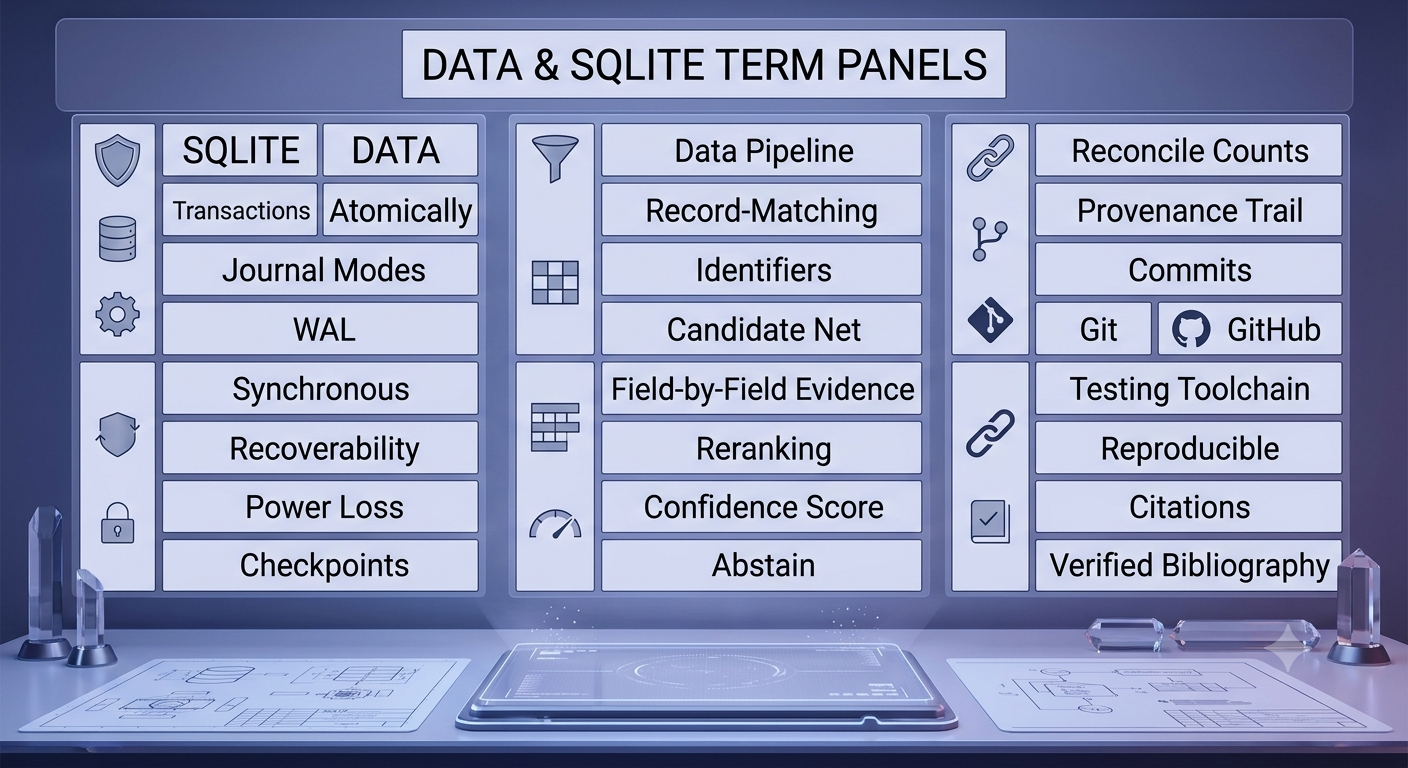
These twenty-eight terms split into three acts. Act one keeps your data safe no matter what fails: transactions bundle writes atomically, journal modes and WAL decide how recovery works, the synchronous setting is the one honest knob that trades speed for surviving a real power loss, and checkpoints — at both the SQLite level and your own pipeline’s level — mark exactly how far you can trust your progress. Act two turns that safely-stored data into something genuinely useful: exact identifiers first, a wide candidate net second, explainable field-by-field evidence third, a careful reranking pass, an honestly calibrated confidence score, and — when the evidence just isn’t there — the maturity to abstain rather than guess. Act three is the discipline around all of it: proving your counts reconcile, keeping a provenance trail, knowing your two “commits” apart, and using Git, GitHub, and a testing toolchain to make sure the whole system is reproducible by someone who wasn’t in the room when you built it.
Master these terms and you can read the architecture of almost any serious data pipeline or record-matching system — including the kind that turns a messy pile of citations into a verified, trustworthy bibliography.