Free Key Sentence Extractor
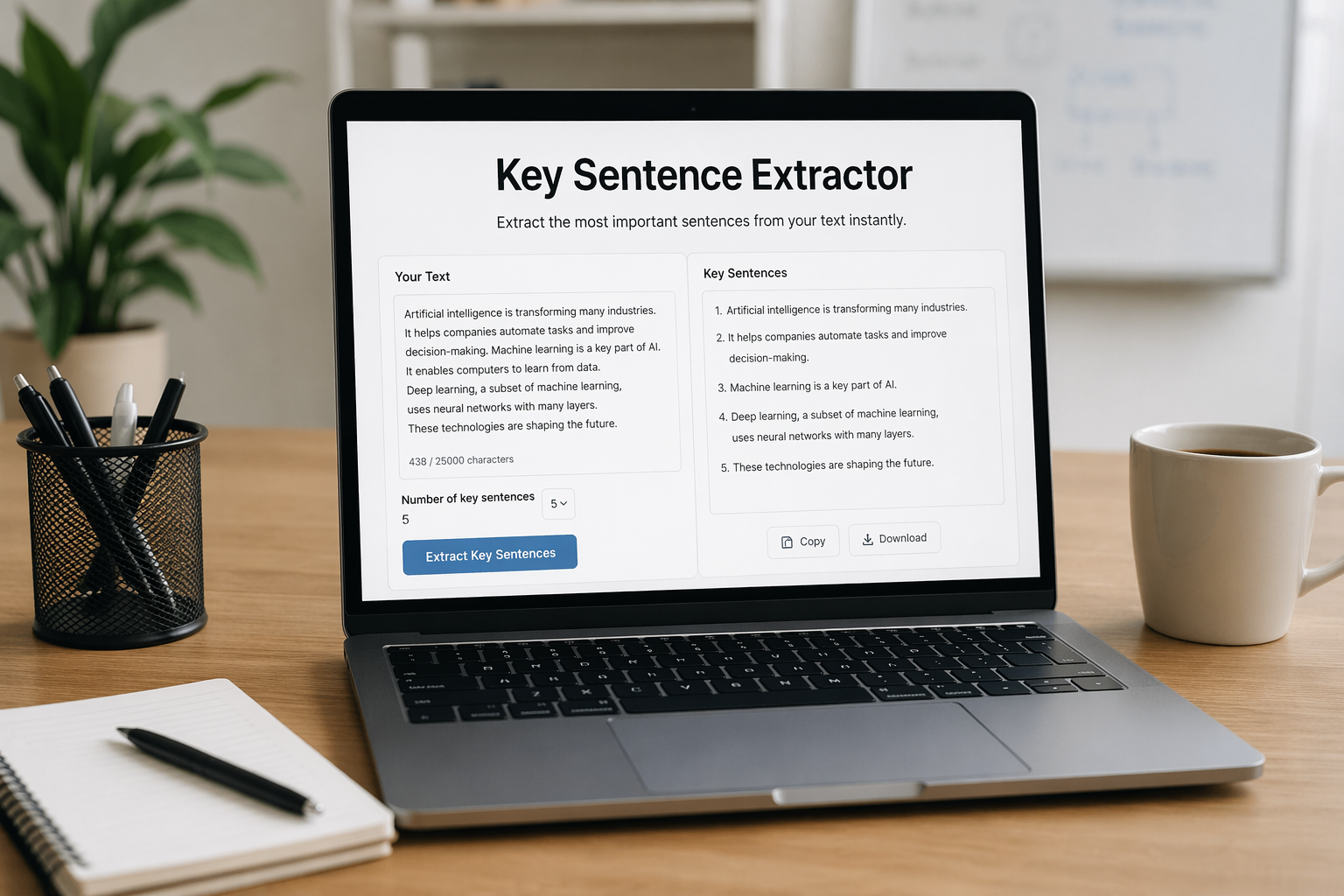
Paste your text and extract the most important original sentences from it. This tool does not write new content. It selects the strongest sentences from your own text.
How it works
- Paste your article, notes, essay, or study text.
- Optionally add a topic or keyword if you want the extraction to focus on one theme.
- Choose the maximum number of key sentence blocks you want back.
- Click Extract key sentences.
First use on a browser can take longer while the model loads. Later uses on the same browser are usually faster.
Choose any whole number from 1 to 30. The tool will return up to that many sentence blocks, depending on how your text is split by punctuation.
Privacy and legal notice
This tool is designed to process the text you paste in your browser. By design, the extraction itself is not intended to send your pasted text to our server for AI processing.
However, your browser may still request technical files needed to run the tool, such as model and runtime files delivered by third-party infrastructure. Standard website-level technical data, such as server and security logs, may also still be processed as part of normal website operation.
Please do not paste highly confidential, sensitive, medical, legal, financial, or private information into this tool.
Model used: Xenova/all-MiniLM-L6-v2. Published license: Apache-2.0.
Free Key Sentence Extractor
Paste your text and extract the most important original sentences from it. This tool does not rewrite your writing or generate new wording. Instead, it selects key sentences from your own text to create an extractive summary.
What this tool does
This page helps you find the key sentences in articles, essays, notes, reports, study material, blog posts, and long paragraphs. It is useful when you want a shorter result but still want to keep your original meaning and wording.
How to use it
- Paste your text into the tool.
- Choose how many key sentence blocks you want in the output.
- Click Extract key sentences.
- Copy the result and use it for notes, study, review, or editing.
Input limit
For best performance, keep the text to about 3,000 words or 80 sentences. The tool has a hard limit of 25,000 characters and 120 sentences. If your text is longer than that, split it into smaller parts and run the tool again.
Output options
You can choose any whole number from 1 to 30 for the output. The tool returns up to that many key sentence blocks from your text, depending on how many sentence blocks are detected. Sentence counting depends on punctuation, so unusual formatting may affect the result.
Why use key sentence extraction instead of a rewritten summary?
Sometimes users do not want AI to change their wording. This tool is helpful when you want a shorter version of your text while keeping your original sentences as much as possible.
Best use cases
- Study notes and revision
- Articles and blog posts
- Essays and assignments
- Meeting notes
- Research notes
- Draft content editing
Frequently asked questions
Does this tool generate new text?
No. It is designed to extract important original sentences from your text, not to rewrite your content.
Can I paste any type of text?
You can paste most normal text, such as notes, essays, reports, articles, or blog drafts. Do not paste confidential, highly sensitive, medical, legal, or financial information.
Why does the sentence count sometimes feel different from what I expected?
The tool detects sentence blocks based mainly on punctuation and formatting. If a text has unusual punctuation, line breaks, or very long sentences, the detected count may differ from manual counting.
Can I use the tool more than once for long text?
Yes. If your text is too long, split it into smaller sections and run the tool multiple times.
Is this tool free?
Yes, this page is provided as a free browser-based text tool.
Privacy notice
This tool is designed to process text in your browser. Please do not paste confidential or sensitive information. Technical files needed to run the tool may still be loaded by your browser.
You may also be interested in more tools and articles on INGOAMPT.
Are you a wordpress website owner who wants to offer this tool on your website? INGOAMPT has created this plugin, and below you can purchase and download it to add the same browser-based text extractor to your own website as a free feature for your visitors, helping increase engagement and attract more traffic.
What is included: downloadable plugin file, setup guide, privacy disclosure template, and third-party notices. Price: €2 one-time purchase.
How to use it after purchase:
1. Complete payment and download the plugin file.
2. If your computer automatically opens the download as a normal folder instead of a ZIP file, right-click that folder and choose Compress so you create a new .zip file for WordPress upload.
3. In your WordPress dashboard, go to Plugins → Add New Plugin → Upload Plugin.
4. Choose the plugin ZIP file, click Install Now, then click Activate.
5. Go to Pages → Add New and create a new page for the extractor tool.
6. Set the page slug to free-key-sentence-extractor.
7. Add this shortcode on that page: [ingo_key_sentence_tool]
8. Publish the page and the tool will appear there.
Privacy notice: This plugin is designed to process text in the browser. Depending on setup, technical model or runtime files may still be requested by the browser. Buyers should review the included privacy disclosure template and third-party notices before using the plugin on a live website.
Important: This plugin includes an on-page privacy notice and a privacy disclosure template, but website owners should review their own privacy policy and legal obligations before publishing the tool on a live site. Do not paste highly confidential, sensitive, medical, legal, or financial information into the tool.
Need help? Email us at ingoampt@yahoo.com or message us on LinkedIn: INGOAMPT LinkedIn.
↓ Click the button below to purchase the INGOAMPT WordPress plugin version of this text extractor and add the same browser-based feature to your own website ↓