
Introduction:
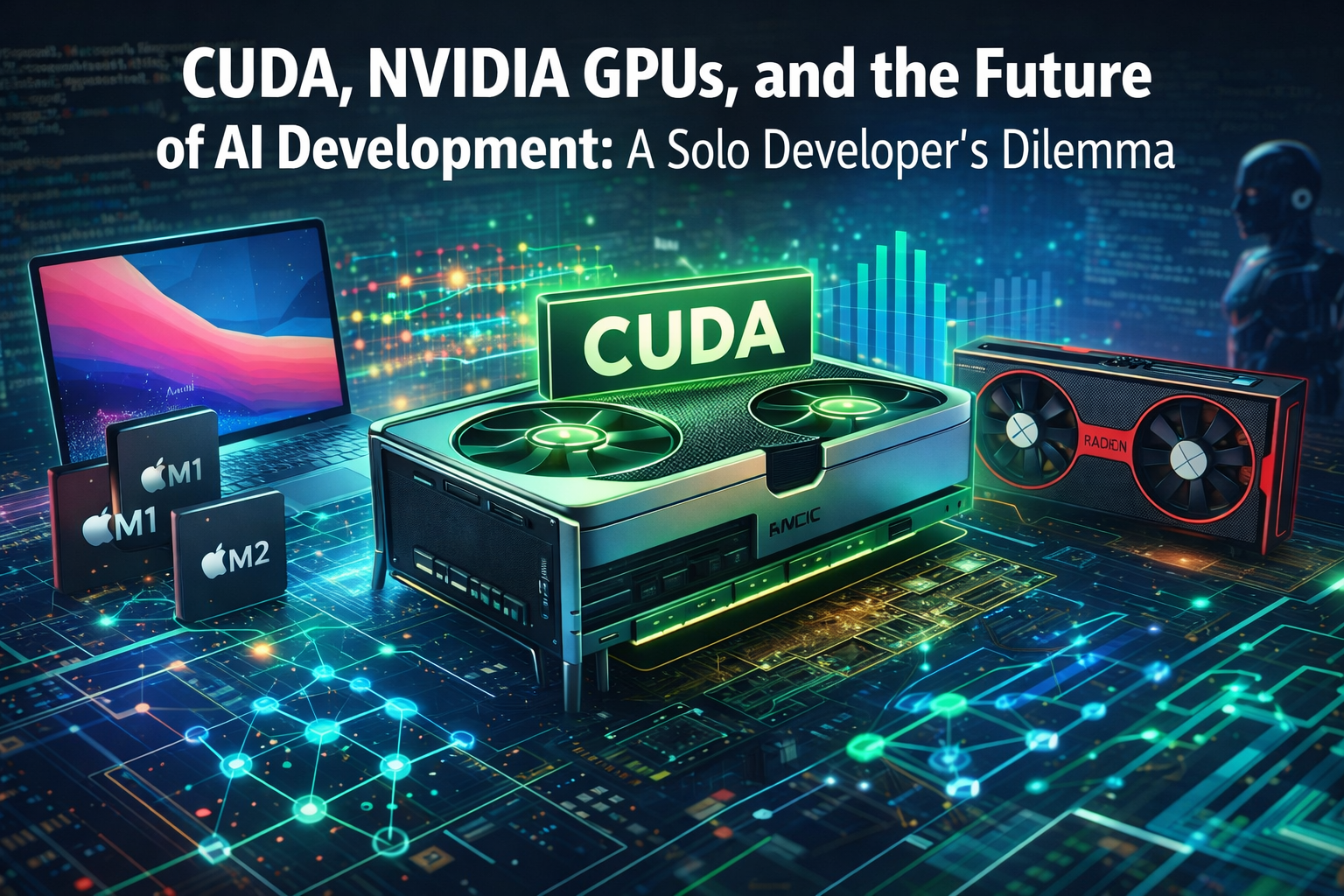
Graphics Processing Units (GPUs) have become essential for artificial intelligence, powering everything from training deep neural networks to running AI-powered applications. For over a decade, NVIDIA’s CUDA platform has been the dominant force enabling these GPU computations. However, as we approach 2026, the landscape is changing – competitors like AMD and Intel are pushing alternative GPU programming ecosystems, and Apple’s M-series Silicon chips are redefining on-device machine learning. In this comprehensive post, we’ll delve into what CUDA is and why it’s so important, explore emerging non-CUDA GPU platforms (and whether they threaten NVIDIA’s dominance), examine Apple’s M1/M2/M3 chips with their ML capabilities (and the new MLX framework) in comparison to NVIDIA’s CUDA GPUs, and discuss what tasks and software work best on each platform. Finally, we’ll offer guidance for solo developers on choosing the right hardware and platform for AI, machine learning (ML), and deep learning projects – weighing NVIDIA CUDA vs. Apple’s Metal/ML ecosystem for today and the future.
What Is CUDA and Why Do We Need It?

CUDA stands for Compute Unified Device Architecture – a parallel computing platform and programming model created by NVIDIA. Introduced in 2006–2007, CUDA was a breakthrough that allowed developers to run general-purpose computations on NVIDIA GPUs, not just graphics rendering[1][2]. In simple terms, CUDA lets you use the thousands of cores in a GPU to accelerate tasks like matrix algebra, simulation, or neural network operations in C++, Python, and other languages.
CUDA was needed because early GPU programming was notoriously difficult. Before CUDA, using a graphics card for general computing meant hacking through graphics APIs (like OpenGL shaders) for non-graphics tasks[3]. CUDA changed this by providing a developer-friendly toolkit (compiler, language extensions, libraries, profilers) that made GPU acceleration accessible. Over the years, NVIDIA built a rich ecosystem around CUDA – including hundreds of optimized libraries (for linear algebra, FFT, deep learning, etc.), robust developer tools, and thorough documentation[4][5]. This ecosystem dramatically lowered the barrier to GPU programming, leading to widespread adoption in scientific computing, data analytics, and especially machine learning. In fact, CUDA became the de facto standard for parallel GPU computing, particularly in AI and ML domains[6].
Why is CUDA so important? For one, it unlocks the raw power of NVIDIA’s hardware. High-end NVIDIA GPUs (like RTX 4090 or A100/H100 data center cards) deliver massive computational throughput – measured in tens of teraflops – and come with fast dedicated VRAM (often 24 GB or more)[7]. But harnessing that power effectively requires software that can dispatch work to thousands of GPU threads efficiently. CUDA provides exactly that: a programming model where a programmer can write kernels (parallel functions) that run on many threads, and an API to manage device memory and execution. Moreover, NVIDIA continuously optimizes CUDA and its libraries for new GPU architectures, so developers automatically benefit from performance gains when they upgrade GPUs. This tight integration of hardware and software explains why many AI frameworks (TensorFlow, PyTorch, JAX, etc.) and scientific applications optimized for CUDA run so fast on NVIDIA cards[8].
Another reason CUDA is needed is the community and support. After 15+ years, CUDA has a vast user base and matured tooling. If you encounter a problem, chances are someone else did too – and solutions exist on forums or in NVIDIA’s guides. The “one-stop-shop” nature of CUDA (everything from low-level C++ APIs to high-level libraries like cuDNN for deep learning) means developers can focus on their algorithms instead of reinventing GPU routines. This maturity is why CUDA still dominates enterprise AI workloads and large-scale model training[5][9]. However, this dominance comes with a trade-off: vendor lock-in – CUDA code runs only on NVIDIA GPUs by design[10][11]. This has prompted interest in alternatives, which we’ll explore next.
New GPUs Without CUDA: AMD, Intel, and the Future of GPU Computing
NVIDIA’s success with CUDA has spurred competitors to develop their own GPU computing platforms. The two main rivals in 2025 are AMD and Intel, each with a different approach. AMD offers the Radeon Open Compute platform (ROCm), while Intel promotes its unified programming model called oneAPI (built on SYCL). These ecosystems aim to enable GPU computing on non-NVIDIA hardware – essentially, GPUs without CUDA. With more players entering the scene (including startups and Chinese vendors), many wonder if the future of GPU acceleration will remain NVIDIA-centric or become more diverse.
- AMD ROCm (and HIP): AMD’s ROCm, launched in 2016, is an open-source GPU computing stack meant to compete with CUDA[12]. At the heart of ROCm is HIP (Heterogeneous-compute Interface for Portability), which is a C++ GPU programming API designed to mirror CUDA in many ways[13]. In fact, AMD deliberately made HIP so similar to CUDA that code can be converted with minimal changes – they provide a tool called hipify to translate CUDA code to HIP automatically[14]. The goal is to let developers run the same algorithms on AMD GPUs without learning a completely new paradigm. Over the years, AMD has been catching up: PyTorch, TensorFlow, and JAX now have ROCm support, meaning you can train models on AMD Radeon or Instinct GPUs with those frameworks[15][16]. Performance-wise, the gap has been narrowing. In earlier years, CUDA often outpaced ROCm by 40-50%, but by late 2025, tests show CUDA only about 10-30% faster on equivalent tasks[17][18]. For example, AMD’s latest MI300-series accelerators (e.g., MI325X or MI350X) deliver competitive throughput in many workloads, sometimes coming within ~20% of NVIDIA’s performance[18]. AMD GPUs also tend to cost less, offering potentially better price/performance if you can utilize them well[17]. The downside is that AMD’s software ecosystem is still maturing. Setting up ROCm can be more involved, with driver/version quirks and narrower hardware support (mostly Linux; only recent GPUs and limited Windows support)[19][20]. In short, AMD GPUs don’t use CUDA, but they strive to offer a similar experience via HIP – and are steadily becoming a viable alternative, especially as cost and open-source flexibility become important factors[21][22].
- Intel oneAPI (and SYCL): Intel, a newcomer to discrete GPUs, has taken a different route by championing open standards. oneAPI is Intel’s initiative for a unified programming model that works across CPUs, GPUs, and other accelerators. It uses SYCL (a high-level C++ parallel programming model from the Khronos Group) rather than inventing a proprietary CUDA-like language. The idea is write once, run on any device – an attempt to break the “CUDA lock-in” by providing an alternative that could target GPUs from multiple vendors. Intel’s Arc and data-center GPUs (as well as CPUs with integrated graphics) support oneAPI/SYCL, and Intel has been optimizing libraries similar to NVIDIA’s (e.g., oneDNN for deep learning, which parallels cuDNN). By 2025, Intel’s GPU software stack has improved, but it still lags in ecosystem size. Developer uptake is smaller, and many ML frameworks rely on community-contributed SYCL backends (which are not as battle-tested as CUDA’s)[23]. Intel’s strength is leveraging its CPU dominance – oneAPI aims to integrate CPU and GPU workflows seamlessly, which could be powerful as heterogeneous computing grows[24][25]. Intel’s GPUs themselves (Xe architecture, Arc series) by 2025 are decent in gaming and media, but for AI they mainly shine in specific niches like inference or video/visual processing[26][25]. In data centers, Intel also offers AI accelerators (like Habana Gaudi for neural networks) that don’t use CUDA but can be programmed with standard frameworks. The big question is whether oneAPI can become a truly viable alternative to CUDA. Intel’s long-term plan is ambitious, but in the near term, NVIDIA still has a far more mature software stack. Nonetheless, oneAPI and SYCL have momentum as open solutions, with support from the LLVM community and even adoption by some third-party accelerators.
- Others and Emerging Players: Beyond AMD and Intel, there’s a growing ecosystem of accelerators that forego CUDA. For instance, Google’s TPUs use their own API (TensorFlow XLA), Apple’s GPUs use Metal and related frameworks (more on Apple in the next section), and numerous AI chip startups (Graphcore IPUs, Cerebras, etc.) provide custom software stacks. Notably, in China, several companies have developed GPUs/AI chips (like Huawei Ascend, Alibaba Hanguang, Moore Threads GPUs, etc.) due to restrictions on importing NVIDIA chips. These often come with their own programming environments – but interestingly, many are inspired by or even compatible with CUDA. In fact, some Chinese vendors claim to support CUDA runtime to make transition easy for developers[27][28]. This underscores CUDA’s influence: even alternatives try to piggyback on its popularity. A recent example (Sept 2025) is the Chinese government banning NVIDIA AI chips to boost domestic GPUs, which led local providers to double down on making their software CUDA-like to attract AI developers[29]. We also see projects like SCALE and ZLUDA attempting to translate or run CUDA code on non-NVIDIA hardware automatically[30][31]. While not perfect (and potentially bumping into NVIDIA’s license restrictions on binary translation[32]), these efforts point toward a future where “write for CUDA, run anywhere” could become more feasible.
Is NVIDIA’s dominance threatened? In 2025, NVIDIA still leads in both hardware performance for AI and the fullness of its software ecosystem. CUDA enjoys first-class support in all major AI frameworks and tools, whereas AMD and Intel support, though improving, often comes with caveats (specific OS, certain models run slower, etc.)[33][16]. Industry adoption reflects this: cloud providers predominantly offer NVIDIA GPU instances with ready-to-go CUDA environments, and most research papers assume NVIDIA hardware for experiments. However, cracks are forming in the CUDA monopoly. AMD’s ROCm has made significant strides – offering 15-40% cost savings and now within ~20% performance of CUDA in many tasks[17]. If budgets and open-source transparency matter, some projects are willing to trade a bit of performance for ROCm’s benefits. Meanwhile, as AI demand explodes (the ongoing AI boom of the mid-2020s[34]), the sheer need for more GPUs is causing companies to consider any viable hardware, not just NVIDIA. This means AMD and Intel have opportunities, especially if they can solve software compatibility. The consensus seems to be that NVIDIA will remain a powerhouse in the near future – thanks to continuous innovation (e.g., specialized Tensor Cores, the upcoming next-gen GPU architectures) and its entrenched ecosystem[35][36]. But the future might be more heterogeneous. Instead of a single-platform world, we could have multiple viable GPU backends: CUDA, ROCm, oneAPI, and others coexisting. A strong sign of this is frameworks moving toward backend abstraction – for instance, PyTorch can now run on CUDA, ROCm, Apple Metal, etc., with the same code, and libraries like ONNX Runtime or LLVM’s MLIR are helping to target different accelerators. So, while NVIDIA’s CUDA is not going away (NVIDIA is investing heavily and likely to keep a lead in cutting-edge performance), developers in the future may not be locked into one vendor as strictly as before. The ecosystem is widening[37], and that’s ultimately good for innovation and cost competition.
Apple’s M-Series Chips and ML Capabilities vs. NVIDIA CUDA
Apple Silicon vs NVIDIA CUDA represent two distinct approaches to AI computing. Apple’s M‑series SoC (System-on-Chip) integrates CPU, GPU, Neural Engine, and unified memory on one chip, emphasizing tight hardware integration and energy efficiency[38]. NVIDIA’s approach pairs powerful discrete GPUs with dedicated VRAM and relies on the CUDA software stack to harness raw parallel performance – a model optimized for maximum throughput and large-scale computing[6]. Both platforms have evolved rapidly. Apple focuses on enabling AI tasks locally with high efficiency and ease of use, while NVIDIA leverages its head start in GPU performance and a robust CUDA ecosystem to deliver unmatched speed on big workloads. So, can Apple’s M1/M2/M3 chips (with frameworks like Metal Performance Shaders and the new MLX library) do the same work as an NVIDIA GPU with CUDA? Could an Apple laptop ever replace a CUDA-equipped machine for ML tasks? Let’s compare them in detail.
Apple’s M-Series (M1 through M4) Overview: Apple made waves by introducing its own ARM-based Apple Silicon for Macs, starting with the M1 in 2020. By combining an 8+ core CPU, an integrated GPU, a 16-core Neural Engine (for ML acceleration), and unified memory, Apple created a mini AI powerhouse in a laptop form factor[38][39]. Up through the M3 and M4 chips (recently released by 2025), they’ve increased GPU core counts, memory bandwidth, and Neural Engine capability. The unified memory architecture means the CPU, GPU, and Neural Engine all share the same pool of RAM with very high bandwidth – up to ~500+ GB/s on the latest M-series Pro/Max chips[40]. This is a different philosophy from NVIDIA’s discrete GPUs which have separate VRAM (fast but limited to the GPU, requiring data transfers from system RAM). Apple’s approach can simplify working with larger models since you don’t need to copy data between CPU and GPU memory – everything resides in one space. It also enables scenarios like fitting extremely large models (limited by total system RAM, which on a Mac Studio can be 128 or even 192 GB unified memory) without sharding across GPUs[41].
Performance – NVIDIA’s raw power vs Apple’s efficiency: In pure muscle, high-end NVIDIA GPUs still outperform Apple’s integrated GPUs by a wide margin on heavy tasks. For example, benchmarks in mid-2025 showed that an NVIDIA RTX 4090 (a top consumer GPU) could train a standard model like ResNet-50 on ImageNet nearly 3× faster than an Apple M3 Max/M4 Max chip (15 seconds per epoch on the 4090 vs ~45–50 seconds on the M3/M4)[42][43]. This gap is due to NVIDIA’s higher core count, memory throughput, and decades of GPU architecture tuned for maximum parallelism, plus highly optimized software (cuDNN, etc.) that Apple’s newer stack can’t yet fully match[44]. However, Apple flips the script on energy efficiency. That same ResNet training on the M3/M4 might draw ~60 W, whereas the RTX 4090 would draw 350–450 W[45]. So per watt, Apple Silicon is remarkably efficient – a crucial factor for battery-powered devices or eco-conscious computing. In other words, if you throttled the 4090 down to 60 W, it would achieve far less throughput than the M3. For inference tasks, Apple’s efficiency and unified memory let it punch above its weight. An M3 Max (with say 96 GB unified RAM) can run large language models (LLMs) like a 70-billion parameter Llama 2 model locally, at around 8–12 tokens/sec generation speed[41]. That’s slower than a high-end NVIDIA GPU, but the feat is that it runs at all on one device without splitting across multiple GPUs – something a typical single GPU with 24 GB VRAM cannot do due to memory constraints[41]. Meanwhile, an M3 Max consumes only ~50 W doing that inference, whereas a desktop GPU might be guzzling 300 W to generate text a bit faster[46]. For small to medium models, Apple’s performance is quite good: e.g. a 7B parameter model can generate 30–40 tokens/sec on M3 Max with 4-bit quantization, which is plenty for real-time interactions[47]. Summarizing the can it replace? question: for large-scale training of state-of-the-art models, Apple Silicon cannot yet match NVIDIA’s sheer power or speed – you wouldn’t train a GPT-4-sized model on a MacBook in any reasonable time. But for prototyping, fine-tuning smaller models, and running inference for models up to tens of billions of parameters, Apple’s M-series laptops have proven themselves highly capable and convenient[48][49]. They shine especially when energy use or noise is a concern (a MacBook can do ML work quietly on your desk, whereas an RTX 4090 desktop might sound like a leaf blower under load).
Apple’s ML Software (Metal, MPS, MLX) vs CUDA: Software is the other half of the equation. NVIDIA’s advantage is its mature software ecosystem we described earlier – frameworks are deeply optimized for CUDA first[50]. Apple has been catching up by developing tools to leverage its hardware: – Metal and MPS: Metal is Apple’s low-level graphics and compute API (akin to DirectX or Vulkan). Metal Performance Shaders (MPS) is a higher-level framework providing optimized GPU kernels (particularly for neural network operations). In 2022, PyTorch introduced an MPS backend so that PyTorch code can run on Mac GPUs with little or no modification[51]. MPS essentially translates common operations (tensor ops, convolutions, etc.) into Metal calls. It works, but at reduced speed relative to CUDA on a high-end card – one report shows a model like ResNet-50 running roughly 3× slower on MPS (Apple M-series) than on an NVIDIA RTX 4090, which aligns with the hardware gap[52]. The upside is that MPS is transparent to the user (you just select the device in PyTorch), and it taps the unified memory for big models. The downside: not all operations or libraries are supported yet (some advanced CUDA-specific techniques have no Metal equivalent), and multi-GPU scaling isn’t relevant on Mac since you typically only have the built-in GPU. – Core ML and the Neural Engine: Core ML is Apple’s framework for running ML models on Apple devices (especially for iOS apps). It can automatically use the 16-core Neural Engine in M1/M2/M3 chips, which is a specialized matrix-multiply accelerator. Core ML is great for deploying models efficiently – for example, you can get sub-5 millisecond inference for small models by using quantization and the Neural Engine[53]. However, Core ML is more aimed at application developers and is not as flexible for arbitrary model development (you typically convert a trained model to Core ML format). – Apple MLX: In late 2023, Apple introduced a new open-source framework called MLX (Machine Learning eXperience)[54]. MLX provides a NumPy-like Python API and uses lazy evaluation and just-in-time compilation to optimize execution on Apple Silicon[55]. Think of MLX as Apple’s equivalent to something like JAX or a highly optimized array library tailored for the M-series chips. Early benchmarks showed MLX can outperform the standard MPS backend in some cases – for instance, MLX was about 2× faster than stock PyTorch MPS on certain models on an M1 Pro[56]. MLX is still young (as of 2025, it’s evolving rapidly but not yet as full-featured as PyTorch), but it signals Apple’s commitment to making their hardware attractive to ML researchers. By directly optimizing for the SoC (including the GPU and possibly using the AMX matrix units in the CPU cores), MLX can push Apple hardware closer to its theoretical limits. One test reported MLX achieving ~50 tokens/s generation on a quantized Llama 3B model with an M3 Max, which is impressive for local inference[57]. Essentially, Apple is creating a more native machine learning stack to compete with CUDA’s performance – focusing on use cases like local LLM inference, training moderate-sized models, and seamless integration with Mac development workflows.
Can Apple Silicon replace NVIDIA GPUs for ML? The answer is context-dependent: – For a researcher or developer prototyping models: Yes, in many cases a MacBook with M-series can handle your needs. You can fine-tune models (vision models, smaller language models) on-device, experiment with architectures, and run demos, all with reasonable speed. The convenience of having an all-in-one laptop that is also an ML development machine is compelling. Many individual developers and students prefer this, especially with the improvements in PyTorch MPS and emerging tools like MLX. The caveat is if your research uses a lot of CUDA-specific libraries or very large models, you might hit limitations (some PyTorch ops might still fall back to CPU if not supported on MPS, etc.). But these gaps are closing over time. – For large-scale training or enterprise workloads: Not yet. If you need to train a multi-billion parameter model from scratch or serve a high-throughput AI service, NVIDIA’s GPUs (and often multiple of them in a server) are still the go-to. The ability to scale out with multi-GPU clusters (using NVIDIA’s NVLink and software like NCCL for multi-node training) is crucial for big jobs – Apple’s platform doesn’t have an answer for that, since M-series are not designed to be clustered for distributed training. Also, many advanced ML optimizations (like custom CUDA kernels, NVIDIA’s TensorRT for fast inference, or mixed-precision techniques using Tensor Cores) are things Apple’s ecosystem is only partially addressing. For example, NVIDIA’s FlashAttention (an optimized transformer attention kernel) and bitsandbytes (8-bit quantization for massive models) are widely used to push model performance on GPUs, but these aren’t available on Apple yet[58][59]. On the flip side, Apple has some unique advantages – the ability to deploy AI in a power-efficient manner on edge devices (e.g., running speech recognition on an iPhone’s Neural Engine with negligible battery impact) is something NVIDIA can’t do in that form factor. So Apple replaces NVIDIA in scenarios where size/energy/silence matter more than absolute speed (think on-device AI, personalized models running locally for privacy, etc.).
In summary, Apple’s M chips complement more than directly replace NVIDIA’s GPUs in 2025. Apple Silicon embodies a vision of everyday AI computing: efficient, integrated, and user-friendly, suitable for developers who want an ML-capable machine without a dedicated GPU box[39][48]. NVIDIA, armed with CUDA, remains the choice for the bleeding edge of performance and scale – training the largest models, doing heavy HPC simulations, or any scenario where speed is king and power/cost is a secondary concern. As we move forward, it will be interesting to watch if Apple can erode more of NVIDIA’s advantage (through more powerful M-chips and better software), or if NVIDIA finds ways to bring its power down to laptops (so far, NVIDIA GPUs are not in Macs at all due to driver support issues, and on Windows laptops they exist but with high power draw). For now, a balanced view is: Use CUDA on NVIDIA for maximum performance and large workloads; use Apple Silicon for portability, energy efficiency, and sufficient performance on small-to-mid workloads[60].
What You Can (and Can’t) Do with NVIDIA CUDA vs. Non-CUDA Alternatives
Given the differences outlined, let’s break down what types of calculations, applications, and software are well-suited to NVIDIA CUDA (and essentially require it) versus what you can achieve on non-NVIDIA platforms (AMD, Intel, Apple, etc.). This will highlight the limitations you might face if you don’t have a CUDA-capable GPU.
- Deep Learning Frameworks & Libraries: If you’re using popular deep learning libraries (PyTorch, TensorFlow, JAX), all of them work out-of-the-box with NVIDIA CUDA and are heavily optimized for it. NVIDIA provides dedicated libraries like cuDNN (CUDA Deep Neural Network library) that these frameworks use under the hood to get superior training speed on convolutional nets, RNNs, etc. On NVIDIA GPUs, you also have TensorRT (for high-speed inference optimization) and NCCL (for multi-GPU communication), which are standard in many production AI deployments[61][8]. If you choose not to use NVIDIA, can you still run these frameworks? Yes, but with some caveats. AMD’s ROCm now supports PyTorch, TensorFlow, JAX, etc., but you might need to install a different build or deal with more finicky setup (certain versions of libraries and drivers have to match)[16]. Performance on AMD GPUs for many deep learning tasks is approaching NVIDIA’s, but occasionally you’ll hit a model or operation that isn’t well-optimized and runs slower. Intel’s oneAPI offers framework support too (there’s an Intel-optimized TensorFlow, for instance), but if you have an Intel Arc GPU, you may find community support is sparse for troubleshooting. Apple supports PyTorch (MPS backend) and TensorFlow (via Apple’s ML Compute framework), but these are still catching up in features – e.g., some advanced layers or custom CUDA extensions won’t work on Mac GPU. In summary, standard model training and inference can be done on non-CUDA GPUs, but the smoothest, fastest experience is usually on CUDA because that’s the primary target for framework developers. When a new version of PyTorch comes out, CUDA gets full testing; ROCm or Metal backends might lag or have bugs initially. For most popular models (ResNets, transformers, etc.), though, Apple and AMD can run them – just maybe 1.5× to 3× slower for the same class of hardware, as noted before[52].
- Specialized AI Tools and Extensions: A lot of cutting-edge AI research uses custom CUDA code or NVIDIA-specific libraries. For instance, consider Stable Diffusion (for image generation): while the core model can run on any backend that supports basic ops, many optimizations (like xFormers for faster attention or various GPU-accelerated samplers) were written for CUDA. These might not have equivalents on other platforms initially, meaning if you try to run on AMD or Apple, you fall back to less optimized methods. Another example is Large Language Model fine-tuning – many projects use CUDA kernels (like FlashAttention, DeepSpeed’s kernels, or low-level tricks like using Cuda Tensor Cores for FP8 precision) to accelerate training. Those likely won’t run on non-CUDA without modification. In practical terms: if you have a favorite GitHub AI project or a model from HuggingFace that “just works” on an NVIDIA GPU, you might find it either doesn’t run on an alternative GPU, or requires you to tweak code and wait for community-contributed support. One clear historical case: many 3D rendering and video applications exclusively supported CUDA for GPU acceleration (like certain Adobe Premiere effects, or rendering engines like Octane/Redshift for Cinema4D) – on an AMD or Mac, those features simply were unavailable[62][63]. Although some of that has improved (apps adding Metal or OpenCL support), it’s still something to check: some software explicitly requires NVIDIA CUDA, and if you don’t have the right GPU, you can’t use that feature. As one frustrated Mac user noted, many leading 3D render engines required CUDA, pushing artists to either use an older Mac with NVIDIA GPU support or switch to Windows with a desktop GPU[64].
- High-Performance Computing (HPC) and Scientific Simulations: Outside of AI, CUDA is also heavily used in fields like physics simulation, computational chemistry, finance (e.g. options pricing), etc. There are countless CUDA-optimized codes for things like molecular dynamics (AMBER, NAMD), climate modeling, fluid dynamics, and more. If you’re using one of these, chances are the best-supported GPU path is CUDA. Some of these codes are beginning to support alternatives (AMD has been working with national labs to port HPC codes to ROCm, often using HIP to translate existing CUDA code[14]). There’s also the SYCL route: projects like LAMMPS (molecular simulation) or GROMACS have SYCL backends to run on Intel/AMD GPUs. But these are often newer and may not be as optimized as the CUDA versions yet. So, if you must run a specific scientific code on an AMD or Intel GPU, you should verify support. In some cases, the only way to use a non-NVIDIA accelerator is via more general APIs like OpenCL – which is a fallback and typically slower or less maintained. In short, for many traditional HPC applications, NVIDIA GPUs with CUDA have been the first-class citizen, and using other GPUs might range from “slightly more work” to “not possible unless you rewrite the code.” This gap will lessen if efforts like oneAPI and HIP succeed in unifying GPU programming, but it’s still present as of 2025.
- Cross-Platform Compatibility: One thing you can do with non-CUDA solutions is avoid being tied to one vendor or cloud provider. For example, code written in SYCL can run on Nvidia, AMD, Intel GPUs (in theory) – giving flexibility to choose hardware based on availability or cost. Similarly, using frameworks at a high level (like writing PyTorch models) means you could train on NVIDIA, then perhaps deploy on Apple Neural Engine via Core ML, etc., since the model itself is portable. But whenever you dip into low-level optimization, you might inadvertently lock into CUDA. Many developers of AI startups initially prototype on whatever GPU they have, but when it comes time to deploy at scale, NVIDIA’s ecosystem often wins due to its maturity and widespread availability on cloud. The phrase “strong software ecosystem is often more important than raw silicon” holds true in 2025[36] – having the libraries and tools to quickly implement an idea is invaluable. NVIDIA knows this, which is why they invest so much in CUDA libraries and even AI applications (like pretrained models, CUDA-X libraries for domains, etc.). AMD and Intel are investing too, but they have ground to cover.
To sum up: NVIDIA CUDA unlocks virtually any GPU-accelerated application you might want to run, from the latest AI research model to industry-grade simulation, thanks to broad support and optimized libraries. If you don’t have an NVIDIA GPU, you can still do a lot: train neural nets on AMD cards, run inference on an Apple MacBook, accelerate computations with OpenCL or oneAPI, etc. But you will occasionally encounter something you cannot do (or do as well) without CUDA. It might be a specific software that only supports CUDA, or a performance pitfall where the non-CUDA version isn’t yet optimized. The good news is the gap is closing gradually – with open-source efforts and broader industry support for alternatives – but for bleeding-edge use cases, CUDA remains the safe bet.
Best Choice for Solo AI Developers: NVIDIA CUDA or Apple M-Series (or Others)?
Finally, let’s address the practical question for a solo developer or a small startup founder: If you want to build AI-powered software or a SaaS product, what hardware and platform should you bet on? Do you invest in an NVIDIA GPU (or use cloud GPUs) and stick with CUDA, or do you develop on Apple Silicon, or even consider AMD/Intel solutions? There is no one-size-fits-all answer, but here are key considerations:
1. Use Case and Workload Size: Evaluate the type of AI work you’ll be doing. If you plan on training large deep learning models (say, transformers with hundreds of millions of parameters, or any model that takes days to train), an NVIDIA GPU is usually the better choice. You’ll benefit from the speed, the large memory of high-end cards, and the fact that all the latest research optimizations target CUDA first[8]. On the other hand, if your focus is on model inference, small-scale training, or classical ML, Apple’s M-series or even an AMD GPU might suffice. For example, if you’re building an AI SaaS that does on-the-fly image processing or runs a moderate-sized model for each user request, an Apple M2/M3 could handle development and even deployment for a modest load – and it will do so efficiently and quietly on your desk. But if you anticipate scaling up to many users or heavy models, you’ll likely end up deploying on an NVIDIA-based server or cloud instance for pure horsepower.
2. Development Experience: As a solo dev, you care about your productivity. Apple provides a very user-friendly experience – a MacBook with an M3 chip is a powerful dev machine that can run code, test models, and even do UI/UX work all in one. There’s convenience in not having to set up a separate Linux PC with a chunky GPU. The macOS environment and tools like Xcode, combined with ML tools (Core ML for app integration, Jupyter notebooks running on MPS), can be great if you want to quickly prototype and show a demo. Many indie developers appreciate that on Apple Silicon, things “just work” for a lot of ML tasks now, without dealing with GPU driver installations or compatibility issues that sometimes plague CUDA on Windows or certain Linux setups. NVIDIA/CUDA development, conversely, might involve building custom CUDA kernels, dealing with driver updates, or using cloud VMs for access to hardware. It’s doable (and common), but the barrier is a bit higher unless you’re already familiar. That said, if your aim is to push maximum performance or work with cutting-edge models, you might accept that overhead as necessary. Another middle-ground many solo developers choose: do initial prototyping on a local machine (which could be a MacBook M-series because it’s versatile), and then do heavy lifting on a remote server or cloud with NVIDIA GPUs. This way you have the best of both – ease of local dev and power of CUDA in the cloud when needed. Tools like Docker containers with CUDA, or services like Google Colab/AWS/GCP instances, allow you to shift workloads relatively seamlessly.
3. Software and Framework Support: Consider the software stack your project will use. If you rely on a specific library that only works with CUDA (for example, some niche CUDA extension, or perhaps you need CUDA-accelerated rendering or physics for a game/VR application), then your hands might be tied – you need NVIDIA hardware[62]. If your project is more high-level (using standard neural network layers, common frameworks, etc.), you have flexibility. A solo web developer adding an ML model to a web app could train it on a cloud GPU, then deploy via an API – in that scenario, you might even do everything on cloud and your local machine specs matter less (other than convenience). But if you plan to distribute software to others (e.g., a desktop app with AI features), think of your audience: developing on Apple Silicon might tempt you to use Core ML and Metal, which work great on Macs and iPhones, but that won’t directly help Windows/Linux users with NVIDIA or AMD GPUs. Conversely, developing with CUDA locks out Mac users (since modern Macs can’t use NVIDIA GPUs at all). For a SaaS (server-side application), you control the server environment, so using NVIDIA in the backend is fine even if your users are on any platform. For a cross-platform end-user software, you might need to support multiple backends (or just choose one environment to target first).
4. Cost and Future-proofing: For an individual, budget is key. NVIDIA GPUs, especially the top-tier ones, are expensive – and building a PC around them or renting cloud instances can be costly. Apple’s high-end laptops/desktops are also pricey, but they give you an entire machine for that cost (and one that excels at general tasks too). AMD offers a value proposition: GPUs that might be cheaper for the performance, and if ROCm works for your case, you save money. But you might spend more time on setup/tuning with AMD. Looking to the future, it’s expected that NVIDIA will continue leading in high-end AI performance (their roadmap includes new architectures with even more AI-focused cores), but AMD is likely to remain competitive on price and open-source friendliness[21]. Apple will iterate on M5, M6, etc., focusing on efficiency and integration. If your plan is to jump on the latest and greatest models and research, learning NVIDIA’s ecosystem is almost a must – many cutting-edge models might only run efficiently on CUDA until the community ports them. If your plan is to build something more stable and product-focused, you could choose based on what aligns with your distribution: e.g., if you want to build an innovative iPhone app with on-device AI, obviously Apple’s ecosystem is the way to go. If you want to start an AI SaaS that one day might scale to thousands of users, it’s safe to assume you’ll be using NVIDIA GPUs in cloud for that scale (at least until alternatives become more widely available in cloud).
5. Learning and Community: As a solo dev, community support is your lifeline. NVIDIA’s CUDA has an enormous community – countless tutorials, forums, StackOverflow Q&As – which can help you when you’re stuck. Apple’s ML community is growing, with blogs and WWDC videos and some open-source projects, but it’s smaller. AMD ROCm’s community is also smaller (though AMD is courting developers actively). If you’re just starting in deep learning, many recommend using whatever you have access to, but keep in mind a lot of online resources assume an NVIDIA GPU. There might be a slight learning curve if you try to translate those instructions to, say, an M1 Mac (e.g., installing a special PyTorch build, etc., whereas the guide might show a simple “pip install torch” for CUDA). It’s all doable – plenty of newcomers successfully train models on Mac or AMD – but you should be prepared for occasional hurdles. On the flip side, learning CUDA and the ecosystem could be seen as a career investment if you plan to work in AI; it’s a skill in demand given how dominant NVIDIA is in industry.
Bottom line recommendations: If you are a solo developer who wants the easiest path to developing AI applications right now (end of 2025) and you’re not focusing on ultra-large models, an Apple Silicon Mac is a very attractive option. It gives you an all-in-one dev environment, enough ML capability to build and test models (especially with things like MLX improving performance), and a smooth user experience. However, you should be aware of its limits – you might eventually need to access an NVIDIA GPU for heavier tasks or for deploying a large-scale service. If you are more on the research/bleeding-edge side or targeting cloud-based services from the get-go, you might choose to invest in a PC or server with an NVIDIA GPU (like an RTX 4080/4090 or enterprise A6000/H100) or use cloud credits on AWS/GCP for GPU time. This ensures you can run any model or library without compatibility worries, at the cost of more power usage and upfront expense. AMD GPUs for a solo dev can be a cost-effective rig if you’re technically inclined – for example, a desktop with a Radeon RX 7900 XTX could train many models decently and costs significantly less than a top NVIDIA card. Just be ready for a bit more tinkering (ROCm on Windows is still in early stages; on Linux it’s solid but needs comfort with that environment).
From a future standpoint, keep an eye on the evolving tools: it’s possible that in a few years, frameworks will become even more hardware-agnostic (thanks to things like OpenXLA, oneAPI, etc.), making the choice of GPU less about software lock and more about raw needs and budget. But as of late 2025, NVIDIA’s CUDA is still the most reliable and versatile platform for AI development, with Apple’s M-series a rising contender for certain use cases, and AMD/Intel carving out niches largely on the promise of openness and cost. A prudent solo developer could leverage both: develop on a power-efficient machine (like an Apple laptop) and then train/deploy on a rented NVIDIA GPU instance when needed. This hybrid approach is common and gives you the benefits of each platform.
LETS EXPLAIN DEEPER WITH ONE EXAMPLE
The example: “Predict if a sentence is positive or negative”
This is a classic NLP deep learning task: sentiment classification.
Examples:
- “I love this phone” → positive
- “This is terrible” → negative
How a computer sees a sentence
The computer cannot “understand words.” We convert words into numbers.
We create a vocabulary (a list of words):
[“i”, “love”, “this”, “phone”, “is”, “terrible”, …]
Each word gets an ID:
- i = 0
- love = 1
- this = 2
- phone = 3
- is = 4
- terrible = 5
- …
So the sentence “i love this phone” becomes:
[0, 1, 2, 3]
Step 1 — The model (very small neural network)
We’ll use the simplest “real deep learning NLP model”:
(A) Embedding layer
An embedding turns each word ID into a vector (a list of numbers).
Example: embedding size = 4 (tiny, for understanding)
Maybe the word “love” becomes:
love → [ 0.2, 0.7, -0.1, 0.4 ]
So a sentence with 4 words becomes 4 vectors.
If embedding size is 128 in a real system, each word becomes 128 numbers.
✅ This is real deep learning.
(B) Average pooling (make one sentence vector)
We take the average of those word vectors.
So we collapse:
4 word vectors → 1 sentence vector
Why average? Because it’s simple. (Transformers do smarter versions.)
(C) Linear layer (final decision)
A linear layer is:
y=Wx+b
It outputs 2 numbers:
- score for “negative”
- score for “positive”
Then we use softmax to convert scores to probabilities.
Example output:
- negative = 0.10
- positive = 0.90
Step 2 — Training (how it learns)
If the sentence is actually positive, we want the model to output a high positive probability.
We use cross-entropy loss to punish wrong predictions.
Then we compute gradients and update weights:
- embedding table updates
- linear layer weights update
That’s training.
Code Examples: PyTorch (NVIDIA CUDA / AMD ROCm) vs Apple MLX
1) PyTorch Version (NVIDIA CUDA or AMD ROCm)
Note: The Python code below is the same for NVIDIA and AMD in most cases.
- If you install PyTorch CUDA,
device="cuda"targets NVIDIA GPUs. - If you install PyTorch ROCm, PyTorch often still uses
device="cuda"in code, but internally it maps to AMD’s HIP/ROCm backend. - If no GPU is available, it falls back to CPU.
import torch
import torch.nn as nn
import torch.nn.functional as F

# For NVIDIA CUDA builds: "cuda" uses NVIDIA GPU
# For AMD ROCm builds: "cuda" often maps to HIP/ROCm under the hood
device = "cuda" if torch.cuda.is_available() else "cpu"

VOCAB = 10_000
EMB = 128
CLASSES = 2

class SentimentNet(nn.Module):
    def __init__(self):
        super().__init__()
        self.emb = nn.Embedding(VOCAB, EMB)
        self.fc  = nn.Linear(EMB, CLASSES)

    def forward(self, tokens):            # tokens: (B, T)
        x = self.emb(tokens)              # (B, T, EMB)
        x = x.mean(dim=1)                 # (B, EMB)
        logits = self.fc(x)               # (B, 2)
        return logits

model = SentimentNet().to(device)
opt = torch.optim.AdamW(model.parameters(), lr=1e-3)

# Fake batch: B=64 sentences, each length T=20 words
tokens = torch.randint(0, VOCAB, (64, 20), device=device)
labels = torch.randint(0, CLASSES, (64,), device=device)

logits = model(tokens)
loss = F.cross_entropy(logits, labels)

opt.zero_grad(set_to_none=True)
loss.backward()
opt.step()

print("loss:", float(loss))
2) Apple MLX Version (Apple Silicon)
Note: MLX is Apple’s framework for Apple Silicon. It runs on Apple’s compute stack (Metal) and often uses lazy execution, meaning work may be staged until you call mx.eval(...).
import mlx.core as mx
import mlx.nn as nn
import mlx.optimizers as optim

VOCAB = 10_000
EMB = 128
CLASSES = 2

class SentimentNet(nn.Module):
    def __init__(self):
        super().__init__()
        self.emb = nn.Embedding(VOCAB, EMB)
        self.fc  = nn.Linear(EMB, CLASSES)

    def __call__(self, tokens):           # tokens: (B, T)
        x = self.emb(tokens)              # (B, T, EMB)
        x = mx.mean(x, axis=1)            # (B, EMB)
        logits = self.fc(x)               # (B, 2)
        return logits

model = SentimentNet()
opt = optim.AdamW(learning_rate=1e-3)

tokens = mx.random.randint(0, VOCAB, (64, 20)).astype(mx.int32)
labels = mx.random.randint(0, CLASSES, (64,)).astype(mx.int32)

def loss_fn(m, t, y):
    logits = m(t)
    # often compute loss in float32 for stability
    return mx.mean(nn.losses.cross_entropy(logits.astype(mx.float32), y))

loss, grads = mx.value_and_grad(model, loss_fn)(tokens, labels)
opt.update(model, grads)

# Force execution (important in MLX)
mx.eval(loss)

print("loss:", float(loss))
Labeling the Same PyTorch Code as “NVIDIA” vs “AMD” DIIFER :
NVIDIA (PyTorch CUDA build)
# Install PyTorch with CUDA support
# device="cuda" targets NVIDIA GPU
AMD (PyTorch ROCm build)
# Install PyTorch with ROCm support
# device="cuda" often maps to AMD HIP/ROCm backend internally
Now Lets explain this tiny NLP neural network, Deeply:
0) First: Lets recap what are CUDA, ROCm, MLX in one sentence each?
CUDA (NVIDIA)
CUDA is NVIDIA’s software system that lets programs use an NVIDIA GPU for computation. It includes:
- the runtime (how to launch work on the GPU)
- libraries like cuBLAS (fast matrix multiplication)
- optimized kernels (GPU mini-programs)
ROCm (AMD)
ROCm is AMD’s software system similar to CUDA. It includes:
- HIP runtime (AMD’s CUDA-like layer)
- libraries like rocBLAS (fast matrix multiplication)
- optimized kernels for AMD GPUs
MLX (Apple)
MLX is Apple’s machine learning framework designed for Apple Silicon. It uses Apple’s GPU compute system (Metal) under the hood and works well with unified memory.
1) The example model (what it does, in plain words)
We want to predict whether a sentence is positive or negative.
- “I love this phone” → positive
- “This is terrible” → negative
The computer cannot read words
So we convert each word into a token ID (a number).
Example vocabulary (only to understand):
0:"i" 1:"love" 2:"this" 3:"phone" 4:"terrible"Sentence: “i love this phone” becomes:
[0, 1, 2, 3]2) What “deep learning” means here (the smallest real neural network)
Our model has 3 parts:
Part A — Embedding layer (turn IDs into vectors)
An embedding is a table of learnable vectors. It turns each word ID into a vector of numbers.
Imagine a table like this (vector length is 4 here just for understanding):
| word_id | vector (length 4 example) |
|---|---|
| 0 (“i”) | [0.1, 0.0, 0.2, -0.1] |
| 1 (“love”) | [0.9, 0.2, 0.1, 0.0] |
| 2 (“this”) | [0.0, 0.1, -0.2, 0.3] |
| 3 (“phone”) | [0.2, 0.4, 0.1, 0.1] |
| 4 (“terrible”) | [-0.8, 0.0, 0.2, -0.1] |
So token IDs become vectors. This is how neural nets “represent meaning.”
Part B — Average pooling (make one sentence vector)
We take the average of the word vectors:
sentence_vector = (v0 + v1 + v2 + v3) / 4Now we have one vector representing the sentence.
Part C — Linear layer (final decision)
A linear layer multiplies by weights and adds a bias:
logits = sentence_vector · W + bThis outputs 2 numbers (scores): negative vs positive. Then softmax converts scores to probabilities.
3) The full computation flow diagram
High-level: tokens → embedding → mean → linear → softmax → loss → backward → update
System steps:
Input tokens (numbers)
        |
        v
[Embedding lookup]   -> gets vectors for each token
        |
        v
[Average pooling]    -> one vector for whole sentence
        |
        v
[Linear layer]       -> 2 scores (neg/pos)
        |
        v
[Softmax + Loss]     -> how wrong the model is
        |
        v
[Backprop]           -> compute gradients (how to change weights)
        |
        v
[Optimizer]          -> update weights
4) Key definitions you MUST know (super important)
GPU kernel
A kernel is a small program that runs on the GPU. Examples:
- Add two vectors
- Compute mean
- Matrix multiply blocks
- Softmax for each row
Library (cuBLAS / rocBLAS)
A library is a collection of pre-written, highly optimized kernels.
- cuBLAS = NVIDIA’s library for matrix math
- rocBLAS = AMD’s library for matrix math
Runtime (CUDA runtime / HIP runtime / MLX runtime)
A runtime is the system that:
- sends kernels to the GPU
- schedules them
- manages memory
- synchronizes results
VRAM vs Unified Memory
- NVIDIA/AMD discrete GPU: GPU has its own memory (VRAM). CPU has RAM. Copying between them is expensive.
- Apple Silicon: CPU and GPU share one pool (unified memory). Less copying.
5) The SAME model — what happens in the computer on each platform
For each step, think of the pipeline like this:
Your Python code
  -> Framework (PyTorch or MLX)
     -> Backend library / kernels (cuBLAS, rocBLAS, Metal kernels)
        -> GPU kernel runs
           -> Results stored in memory
Step 1 — Embedding lookup (token IDs → vectors)
What you think happens: “Get vectors from a table.”
What actually happens: This is a gather operation: read many rows from a big matrix.
NVIDIA CUDA backend
PyTorch Embedding
   -> CUDA kernel (embedding_gather)
      -> reads embedding rows from VRAM
      -> writes output vectors to VRAM
AMD ROCm backend
PyTorch Embedding
   -> HIP kernel (embedding_gather)
      -> reads embedding rows from VRAM
      -> writes output vectors to VRAM
Apple MLX backend
MLX Embedding
   -> Metal compute kernel (embedding_gather)
      -> reads embedding rows from unified memory
      -> writes output vectors to unified memory
Why speed differs here: Embedding is memory-heavy, not math-heavy, so speed depends on bandwidth, caching, and kernel optimization.
Step 2 — Average pooling (mean over words)
What you think happens: “Add vectors and divide.”
What actually happens: A reduction kernel: sum across tokens and divide.
NVIDIA
PyTorch mean
   -> CUDA reduction kernel
      -> optimized GPU reduction (warp primitives)
AMD
PyTorch mean
   -> HIP reduction kernel
      -> optimized GPU reduction (wavefront primitives)
Apple
MLX mean
   -> Metal reduction kernel
      -> efficient for local sizes; unified memory helps workflow
Why speed differs: reductions depend on memory patterns, kernel tuning, and possible fusion.
Step 3 — Linear layer (the “GPU power” part)
What you think happens: “Multiply vector by weights.”
What actually happens: This is matrix multiplication (GEMM).
NVIDIA CUDA
PyTorch Linear
   -> calls cuBLAS GEMM
      -> cuBLAS chooses best kernel
      -> uses Tensor Cores (fast FP16/BF16 hardware)
      -> writes logits to VRAM
Tensor Cores are special hardware in NVIDIA GPUs that multiply small matrix blocks extremely fast.
AMD ROCm
PyTorch Linear
   -> calls rocBLAS GEMM
      -> rocBLAS chooses best kernel
      -> uses AMD matrix instructions
      -> writes logits to VRAM
Apple MLX
MLX Linear
   -> Metal matmul kernel
      -> runs on Apple GPU execution units
      -> writes logits to unified memory
Why speed differs here: NVIDIA’s cuBLAS + Tensor Core path is extremely mature; AMD is closing the gap; Apple is optimized for on-device workloads and typically has lower peak throughput than large discrete GPUs.
Step 4 — Softmax + Cross-Entropy loss
Beginner definition: Softmax
Softmax converts scores into probabilities. Example:
logits = [2.0, 1.0]
softmax ≈ [0.73, 0.27]
Cross-entropy measures “how wrong” the prediction is.
This step often benefits from kernel fusion.
Kernel fusion means doing multiple operations in one GPU kernel so you don’t write/read from memory multiple times.
NVIDIA
cross_entropy
  -> often fused kernel (softmax + log + reduce)
  -> fewer memory passes
  -> stable numerics
AMD
cross_entropy
  -> ROCm kernels
  -> fusion improving, may vary by version
Apple
cross_entropy
  -> MLX/Metal kernels
  -> often efficient for moderate sizes
  -> execution may be staged until mx.eval()
Step 5 — Backpropagation (learning step)
Backprop computes gradients: how each weight should change to reduce loss.
NVIDIA
backward
  -> CUDA kernels for gradients
  -> cuBLAS used again for linear gradients
  -> optimized scatter-add for embeddings
AMD
backward
  -> HIP kernels for gradients
  -> rocBLAS used again
  -> embedding backward is scatter-add style
Apple
value_and_grad
  -> MLX autograd builds gradient graph
  -> Metal kernels execute gradient ops
Why embedding backward differs: embedding backward does “scatter-add” (add gradients to specific rows), which is memory-heavy and can vary across backends.
Step 6 — Optimizer update (AdamW)
AdamW updates each parameter using gradients and running averages. It’s lots of elementwise math (add/mul/sqrt/div).
Differences come from kernel fusion, memory bandwidth, and runtime overhead.
6) Final “aha” diagram: why CUDA vs ROCm vs MLX feels different
Your code is the same math — but the engine under the hood differs.
NVIDIA CUDA pipeline
Python (PyTorch)
  -> PyTorch CUDA backend
     -> cuBLAS (matmul) + CUDA kernels (others)
        -> NVIDIA GPU (Tensor Cores)
           -> results in VRAM
AMD ROCm pipeline
Python (PyTorch ROCm build)
  -> PyTorch HIP backend
     -> rocBLAS (matmul) + HIP kernels (others)
        -> AMD GPU (matrix instructions)
           -> results in VRAM
Apple MLX pipeline
Python (MLX)
  -> MLX runtime (often lazy)
     -> Metal compute kernels
        -> Apple GPU (unified memory)
           -> results in unified memory
7) Which is better and worse (super clear)
Best default choice for “everything AI”
NVIDIA CUDA
- widest compatibility
- best mature libraries
- fastest for large training
- easiest for research repositories
Best “value + openness” if you can handle setup
AMD ROCm
- can be very close in performance
- sometimes cheaper per performance
- improving quickly
- may require more setup and compatibility checking
Best for laptop dev + local prototyping/inference
Apple MLX
- smooth local workflow
- unified memory
- great for moderate models and quantized inference
- not intended for massive distributed training
`
Final Comparison Table: CUDA (NVIDIA) vs ROCm (AMD) vs MLX (Apple Silicon)
| Category | CUDA (NVIDIA) | ROCm / HIP (AMD) | MLX (Apple Silicon) |
|---|---|---|---|
| What it is | NVIDIA’s GPU computing platform (software + runtime + libraries) that lets programs run AI/ML math on NVIDIA GPUs. Think: “the main ecosystem most AI code is built around.” |
AMD’s GPU computing platform (software + runtime + libraries) similar to CUDA. HIP is the CUDA-like layer that runs on AMD GPUs. Think: “CUDA-style computing for AMD GPUs.” |
Apple’s ML framework designed for Apple Silicon that uses Apple’s GPU compute stack (Metal) and unified memory. Think: “Mac-first ML framework for local training/inference.” |
| Hardware it runs on | NVIDIA GPUs (consumer RTX, workstation, data-center GPUs). | AMD GPUs (Radeon / Instinct) that are supported by ROCm. | Apple Silicon (M-series chips in MacBook, iMac, Mac Studio, etc.). |
| Memory model (why it matters) | Discrete GPU VRAM (separate from CPU RAM). Fast for GPU work, but CPU↔GPU transfers are costly. Great for large throughput; you must fit model + activations into VRAM. |
Discrete GPU VRAM (separate from CPU RAM). Similar constraints and transfer costs as NVIDIA. | Unified memory (CPU and GPU share one pool). Fewer “copy to GPU” headaches; can fit larger models than typical VRAM-limited GPUs (depending on RAM size). Peak throughput differs from big discrete GPUs. |
| Backend “engine” for matmul (the key AI operation) | cuBLAS (highly optimized matrix multiplication library) + Tensor Core fast paths. Usually the best “default performance” with minimal tuning. |
rocBLAS (AMD’s matrix multiplication library) + AMD matrix instructions. Often competitive, but performance may vary more across shapes and software versions. |
Metal-backed matmul kernels used by MLX. Great for local workflows; generally less peak throughput than top desktop/data-center GPUs, but strong for on-device use cases. |
| Backend kernels for embeddings / reductions / softmax | Mature CUDA kernels; often more kernel fusion and highly tuned primitives. | HIP/ROCm kernels improving quickly; fusion/tuning can vary depending on ROCm + framework version. | MLX + Metal kernels; efficient for moderate workloads and local inference/fine-tuning; execution style differs (see below). |
| Execution style (what “feels” different) | Eager execution (typical PyTorch) with mature profiling tools; lots of optimized paths for common AI workloads. | Similar programming style to CUDA in many frameworks; may require more environment/version care. | MLX often uses lazy execution (work can be staged until mx.eval()).This can reduce Python overhead and feel smooth for iterative local development. |
| Ecosystem maturity (real-world friction) | Highest maturity. Most AI repos, libraries, and tutorials assume CUDA first. Best “it just works” experience for research code. |
Strong and improving, but still more likely to hit edge-case issues (install, op coverage, specific kernels). Great when your stack and GPU are well-supported. |
Growing fast, especially for local inference and Apple-focused workflows. Some cutting-edge CUDA-first libraries may not exist or may require alternatives. |
| Performance “typical pattern” | Often best for large-scale training and maximum throughput (especially with mixed precision). | Often close for many workloads; sometimes better cost/performance; sometimes behind on specific kernels/shapes. | Excellent efficiency and convenience; great for prototyping/inference; can be slower than high-end discrete GPUs for heavy training. |
| Where it shines (best use) |
|
|
|
| Main advantages |
|
|
|
| Main disadvantages / limitations |
|
|
|
| Best choice for a solo developer (by goal) | Pick CUDA if your goal is:
|
Pick ROCm if your goal is:
|
Pick MLX if your goal is:
|
| Practical “best workflow” for many solo devs |
A common winning strategy is a hybrid workflow: |
||
| Quick recommendation in one line | CUDA = best default choice for maximum compatibility + top performance. | ROCm = strong alternative when cost/performance and supported stack align. | MLX = best for Mac-based local dev, prototyping, and efficient on-device ML. |
“The math is the same across all three. The difference is the software stack (runtime + libraries + kernels) and the memory model (VRAM vs unified memory).”
Lets explain the Example in a Summary Table as well :
This table focuses only on the example (sentiment classification: positive vs negative) and shows,
step-by-step, what happens in the system for CUDA (NVIDIA), ROCm/HIP (AMD), and MLX (Apple).
| Step in the Example | What the Model Does (Plain Meaning) | What the Computer Actually Runs (General) | CUDA (NVIDIA) — What Runs Behind the Code | ROCm/HIP (AMD) — What Runs Behind the Code | MLX (Apple Silicon) — What Runs Behind the Code | Why This Step Can Be Faster/Slower |
|---|---|---|---|---|---|---|
| 0) Input tokens | Convert words into numbers (token IDs). Example: “i love this phone” → [0,1,2,3] |
Tensors are created and placed in memory (CPU RAM / GPU VRAM / unified memory). | Tokens + model weights usually reside in GPU VRAM. If created on CPU, they may be copied to GPU. | Tokens + model weights usually reside in GPU VRAM managed by ROCm/HIP. CPU↔GPU copies are also costly. | Tokens + weights live in unified memory (shared pool). Less “copy-to-GPU” feeling. | Memory location matters: copying data to/from GPU VRAM can add overhead; unified memory reduces that friction. |
1) Embedding lookupx = emb(tokens) |
Each token ID becomes a vector (word meaning as numbers). Output shape: (B, T, EMB). |
A gather kernel reads specific rows from a big embedding table and writes the result tensor. | PyTorch embedding → CUDA kernel (gather). Reads embedding rows from VRAM, writes output to VRAM. | PyTorch embedding → HIP kernel (gather). Reads embedding rows from VRAM, writes output to VRAM. | MLX embedding → Metal kernel (gather). Reads/writes in unified memory; GPU executes via Metal. | Embeddings are often memory-bound (not heavy math). Speed depends on bandwidth, caching, and kernel optimization. |
2) Average poolingx = mean(x, dim=1) |
Turn many word vectors into one sentence vector by averaging across tokens. | A reduction kernel sums values across a dimension and divides by the count. | PyTorch mean → CUDA reduction kernel (optimized reductions). | PyTorch mean → HIP reduction kernel (optimized reductions). | MLX mean → Metal reduction kernel; often staged until mx.eval(). |
Reductions can be limited by memory traffic and benefit from kernel fusion; implementation quality matters. |
3) Linear layerlogits = fc(x) |
Convert the sentence vector into 2 scores (negative/positive). | This is matrix multiplication (GEMM) + add bias, even if output is small. | PyTorch linear → cuBLAS GEMM + CUDA kernels. Often hits Tensor Core fast paths for FP16/BF16. | PyTorch linear → rocBLAS GEMM + HIP kernels. Uses AMD matrix instructions; performance depends on shape+tuning. | MLX linear → Metal matmul kernels via MLX; uses Apple GPU execution units in unified memory system. | GEMM is usually the main compute cost. Speed depends on the math library (cuBLAS/rocBLAS/Metal), precision, and kernel tuning. |
4) Softmax + Lossloss = cross_entropy(logits, labels) |
Turn scores into probabilities and measure how wrong the model is. | Often a sequence of ops: exp → sum → divide → log → pick correct class → reduce. Many systems try to fuse these into fewer kernels. |
Often uses fused CUDA kernels (fewer memory passes). Typically very optimized and numerically stable. | Uses ROCm kernels; fusion and performance can vary by ROCm/framework version (improving quickly). | Uses MLX/Metal kernels; may be staged and executed on mx.eval(). Efficient for moderate sizes. |
This step is heavy in reductions + memory traffic. Kernel fusion maturity can create big speed differences. |
5) Backpropagationloss.backward() |
Compute gradients: “how should weights change to reduce the loss?” | Autograd runs backward kernels:
|
PyTorch autograd → CUDA backward kernels + cuBLAS for linear gradients; optimized embedding backward kernels. | PyTorch autograd → HIP backward kernels + rocBLAS for linear gradients; embedding backward performance varies. | MLX autograd (value_and_grad) → Metal kernels for backward ops; unified memory reduces transfer friction. |
Backprop cost depends on kernel quality and memory behavior. Embedding backward is often a key “hidden bottleneck.” |
6) Optimizer updateAdamW step |
Update parameters using gradients and running averages. | Many elementwise kernels (add/mul/sqrt/div). Sometimes fused optimizers reduce overhead. | CUDA elementwise kernels; often very efficient and sometimes more fused in common setups. | HIP elementwise kernels; efficiency depends on tuning and version. | MLX optimizer update; execution style can be staged; efficient for local workloads. | Typically bandwidth-bound. Fusion and memory throughput matter more than raw compute. |
| What stays the same |
The math and model are identical: token IDs → embeddings → mean → linear → softmax/loss → backward → update. |
|||||
| Big “aha” takeaway |
The reason CUDA/ROCm/MLX feel different is not because they do different math — they don’t. |
|||||
“Same model, same math — different engines underneath.”
Note:
The GPU computing world is undergoing a significant evolution. NVIDIA’s CUDA brought us to the AI era by unlocking GPU acceleration for general computing – it remains a cornerstone of deep learning and will likely continue to dominate high-performance AI tasks in the near future[65]. But the emergence of competitive GPU platforms and specialized chips means developers have more options than ever. AMD’s ROCm is steadily reducing the CUDA gap[18], Intel’s oneAPI is pushing an open standard vision, and Apple’s integrated approach with its M-series chips is proving that efficiency and accessibility have their own appeal[39][48]. The future might not be an either/or winner between NVIDIA or others – instead, we may see a multi-platform ecosystem where, for example, cloud data centers use a mix of NVIDIA and AMD GPUs (depending on cost and task), consumer devices run AI on custom chips (Apple Neural Engine, Qualcomm AI cores, etc.), and software frameworks become smart enough to utilize any available accelerator.
For developers, the key takeaway is to stay flexible and informed. If you build with only CUDA in mind, you’ll get top performance today, but don’t ignore the growing movement toward open and portable solutions[37]. Conversely, if you adopt a new platform like Apple MLX, be aware of how to interoperate with the larger CUDA world when needed. As of end-2025, investing time to understand CUDA and NVIDIA’s stack is still highly valuable – it’s a skill that unlocks the most capability. At the same time, experimenting with alternatives (learning a bit of Metal/MPS if you’re on Mac, or trying out HIP for AMD) can put you ahead of the curve as these gain traction.
In a rapidly evolving field, the “best” choice today might shift tomorrow with a new breakthrough. NVIDIA is not standing still (expect even more AI-centric features in future GPUs), AMD/Intel will keep improving software support, and Apple will likely increase the ML performance of each chip generation. Ultimately, whether you choose NVIDIA CUDA for its proven muscle and ecosystem, or Apple’s Silicon for its elegant efficiency, or another platform, remember that the end goal is to bring your AI ideas to life. Each tool is a means to that end. By understanding their differences, strengths, and limitations, you can leverage the right tool at the right time – and perhaps even combine them – to build innovative AI solutions both now and in the exciting future ahead.
Sources: The insights and data in this article are backed by recent comparisons and industry reports. For example, Scaleway’s November 2025 blog discusses running CUDA code on all GPUs and emerging alternatives[66][29]. A Thunder Compute report from October 2025 details how AMD’s ROCm performance now comes within 10–30% of CUDA in many AI tasks, while costing less[17]. Medium articles and benchmarks from 2025 highlight that NVIDIA still holds the lead in full-stack AI solutions, but AMD’s ROCm is steadily gaining developer traction[23]. The Apple Silicon vs NVIDIA CUDA comparison (Scalastic, Aug 2025) provides concrete numbers: an RTX 4090 training ResNet in 15s vs M3 Max’s 50s, and how Apple’s unified memory allows running larger models that a single CUDA GPU cannot[42][41]. Apple’s progress with tools like MLX (announced late 2023) shows significant speed-ups for Mac-based ML tasks[54][57]. Additionally, real user discussions (e.g., on Apple’s forums) note that some creative software features “require CUDA” and thus won’t work on modern Macs, underscoring the software gap that still exists if you’re not on NVIDIA[62]. All these sources paint a picture of an evolving but still NVIDIA-centric landscape – one where CUDA is king, yet challengers are closing in and offering compelling alternatives.
[1] [2] [3] [4] [10] [13] [14] [27] [28] [29] [30] [31] [32] [37] [66] Can Your CUDA Code Run on All GPUs? | Scaleway Blog
https://www.scaleway.com/en/blog/can-your-cuda-code-run-on-all-gpus
[5] [9] [11] [12] [15] [16] [17] [18] [19] [20] [21] [22] [33] ROCm vs CUDA: Which GPU Computing System Wins in December 2025?
https://www.thundercompute.com/blog/rocm-vs-cuda-gpu-computing
[6] [7] [8] [38] [39] [40] [41] [42] [43] [44] [45] [46] [47] [48] [49] [50] [52] [53] [55] [57] [58] [59] [60] [61] Apple Silicon vs NVIDIA CUDA: AI Comparison 2025, Benchmarks, Advantages and Limitations
https://scalastic.io/en/apple-silicon-vs-nvidia-cuda-ai-2025
[23] [24] [25] [26] [34] [35] [36] [65] GPU Wars: Nvidia, AMD, and Intel Competing in 2025 | by Intellitron Genesis | Nov, 2025 | Medium
https://medium.com/@intellitrongenesis/gpu-wars-nvidia-amd-and-intel-competing-in-2025-b0a1b2fd17ad
[51] [54] [56] MLX vs MPS vs CUDA: a Benchmark. A first benchmark of Apple’s new ML… | by Tristan Bilot | TDS Archive | Medium
https://medium.com/data-science/mlx-vs-mps-vs-cuda-a-benchmark-c5737ca6efc9
[62] [63] [64] When will we can use CUDA on Mac again? – Apple Community