
Video Voice Edit INGOAMPT
Video Voice Edit INGOAMPT
Change video voice on iPhone
Change pitch and bass, explore voice effects and reduce noise in recorded videos. Preview your changes and save the video with its modified voice.
For editing recorded videos. Check the current price and device compatibility on Apple before downloading.
Shape the pitch
Explore a higher or deeper voice sound.
Adjust the bass
Change the depth of your recorded voice.
Reduce noise
Use the noise reduction control on your video.
Save your edit
Keep a video with the modified voice.
Your clip. A different character.
Change the sound inside your video.
Experiment with a voice effect for a personal clip, adjust the depth of recorded speech, or try noise reduction before you save. The app brings the sound controls and video preview together on your iPhone.
Pitch and bass
Use the pitch and bass controls to change how the voice sounds. Try a higher pitch or a deeper tone, then listen to the result.
Voice effects
Explore different voice styles, including the male-to-female and female-to-male effects described in the Apple listing.
Noise reduction
Adjust the noise reduction value for recorded video sound. The result depends on the original recording and the settings you choose.
Video export
Preview your changes and save a video with the modified voice. Keep the focus on the sound you want for your clip.
See the real interface
A closer look at the controls.
These original app screenshots show the actual interface and editing controls. Open any screenshot to view the original image at a larger size.
Swipe across to see all three screens →
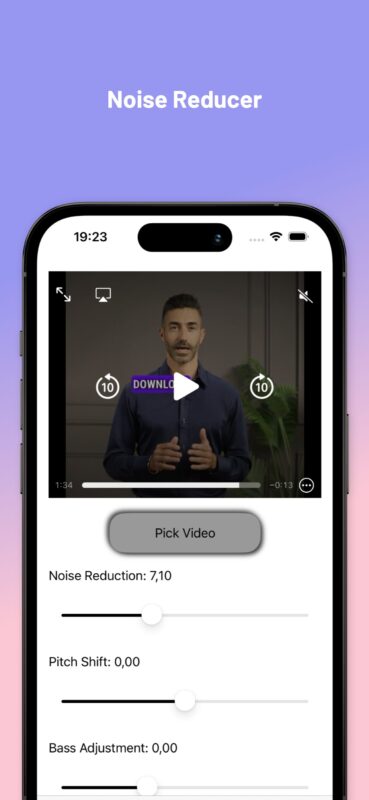
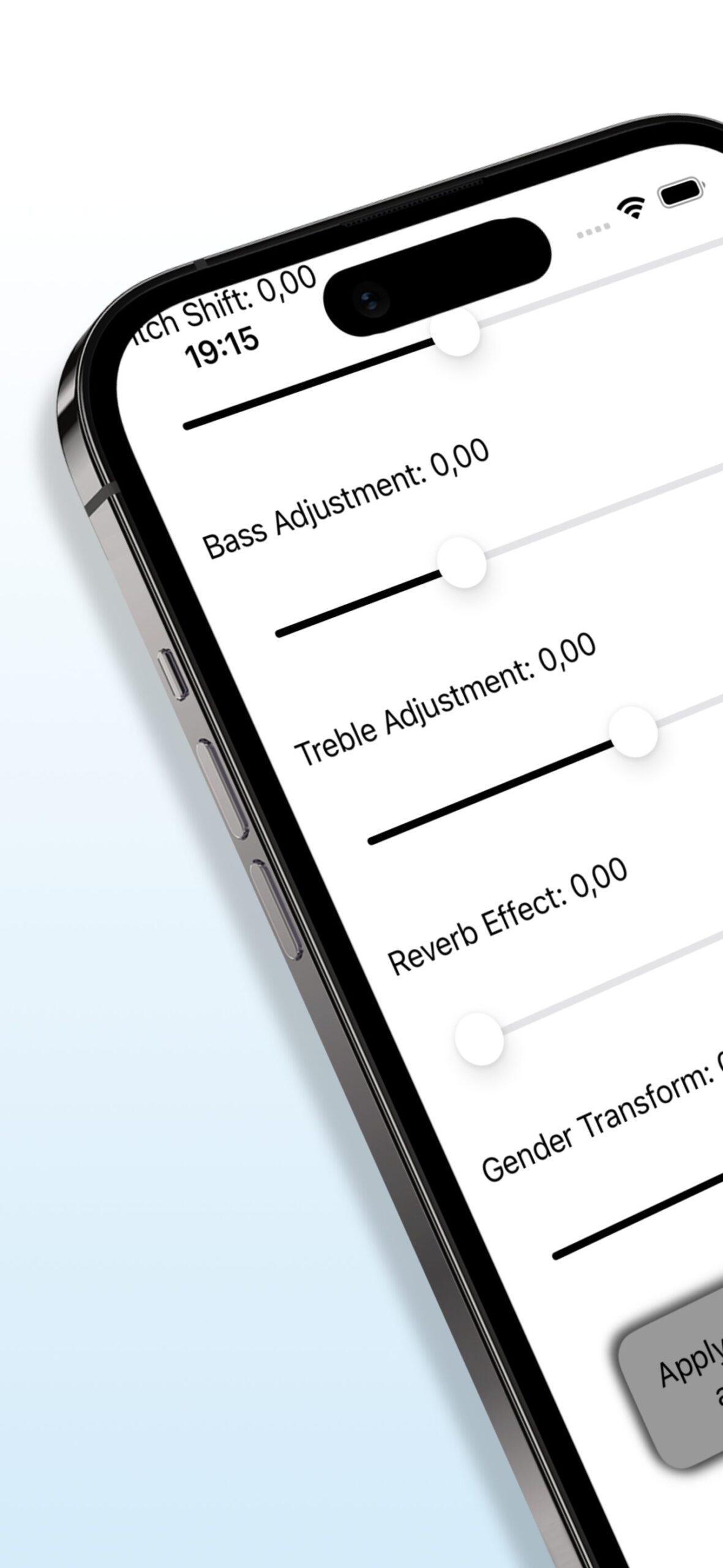
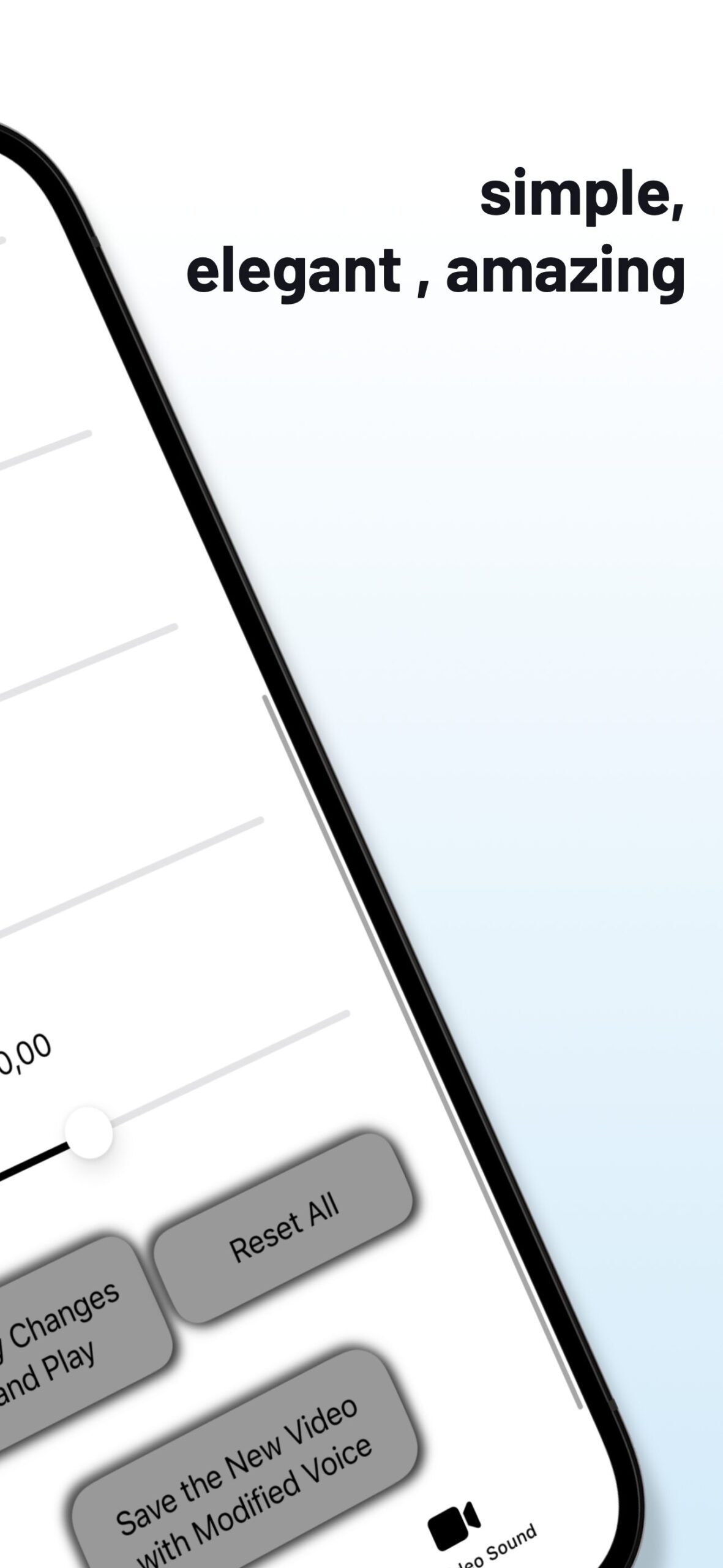
Pick. Adjust. Preview. Save.
From an existing video to your next edit.
- Pick your videoChoose the recorded video you want to work on.
- Adjust the voiceChange pitch, bass, voice effects or noise reduction.
- Listen and refineUse Apply Changes and Play to preview. Reset All lets you start over.
- Save the resultUse the save control to keep the video with its modified voice.
Watch the original preview
Video Voice Edit in action
The preview and screenshots show the app’s interface. Check Apple’s listing for the current version and device requirements.
Know before you download
App facts
- App name
- Video Voice Edit INGOAMPT
- Developer
- INGOAMPT · Provider: DI Pegah Tafvizi
- Category
- Photo & Video
- Primary device
- iPhone
- Minimum system
- iOS 17.5 or later
- Listed language
- English
- Price
- Paid app — check your App Store region for the current price
- Privacy disclosure
- “Data Not Collected,” declared by the developer on Apple
Facts checked against the official Apple listing on 6 November 2026. Apple markets this app as “Only for iPhone”; see its Compatibility section for other listed device requirements. Read the app privacy policy.
A few useful answers
Choose the right tool for your video.
Quick answers about voice effects, compatibility, pricing and saving your edit.
What can Video Voice Edit INGOAMPT do?
It edits the voice and sound in recorded videos: adjust pitch and bass, apply voice effects, use noise reduction and save the video with the modified sound. Apple also lists pitch editing for audio files.
Can it create male-style or female-style voice effects?
Yes. The official Apple listing describes female-to-male and male-to-female voice changes. These are voice effects applied to your media; the result depends on the original voice and your settings.
Will noise reduction remove every background sound?
The app provides a noise reduction control. Results vary with the original recording and the value you choose, so preview the sound before saving.
Does it change my voice during live calls?
The app focuses on editing recorded media. It is not a live-call or real-time chat voice changer, online editor or YouTube converter.
Which devices can run the app?
Apple markets Video Voice Edit INGOAMPT as an iPhone app and lists iOS 17.5 or later. Check Apple’s Compatibility section for the requirements of other listed devices.
Is Video Voice Edit free?
Apple currently lists it as a paid app. The amount and availability can vary by region; check the price in your App Store before purchasing.
How do I save the edited video?
Preview the result with Apply Changes and Play, then use Save the New Video with Modified Voice. Version 1.4’s update notes say the saved video uses the date you press Save.
What does the privacy information say?
The developer’s Apple disclosure says Data Not Collected. The linked app privacy policy also describes no account registration, tracking or in-app purchases. Review those sources for the current details.
Video Voice Edit INGOAMPT
Your next video can sound different.
Explore pitch, bass, voice effects and noise reduction on iPhone. View the latest app details and current price on Apple.